Showing posts with label Linkedin. Show all posts

Wednesday, February 22, 2017

LinkedIn: How to Go Viral 101


Going viral is the ultimate internet-related achievement. On LinkedIn, it can do huge things for your career.

But since LinkedIn is hardly the appropriate venue for cat memes or videos of people slipping on ice, how does one go viral on everyone’s favorite social network for professionals?

Truth is, there’s no single equation that buys your content an admit one to the professional share circuit. But there are things you can do to increase its chances. It all comes down to two main considerations: the quality of content you’re creating and tactics you use to promote it.

Your content has to be good. It has to be readable. It has to be interesting. It has to be sharable. So, how do you make good content for LinkedIn?

Bonus: Download a free guide to discover four time-saving tools to help you grow your LinkedIn network faster. Includes one tool that lets you schedule a week’s worth of LinkedIn updates in just three minutes.

Be an expert in your chosen field

It’s as simple as knowing your stuff. Read industry publications and blogs. Attend industry events. Be part of relevant communities online and off. Be the person that other people go to with questions. While it’s no guarantee of going viral, when you’re a wealth of knowledge, you’ll never be short on interesting things to write about. And interesting things get shared.
Read more, share the best of it

Create a reading list of your favorite professional blogs or industry publications. Take 30 minutes a day to read them. Make it part of your job. The publications don’t have to focus on what you do day-to-day—but keep it relevant.

Find the best of what’s published and share it on LinkedIn. You can even include your own thoughts on the post to make it a more compelling read and position yourself as something of a thought leader within your network. You don’t have to do this every day. In fact, you shouldn’t. Cadence should be dictated by how often you’re coming across killer articles.

Answer questions people are asking

What are the biggest pain points that your profession or industry solves? Write about them. Demystify the topic. Make it interesting. Put your own perspective on it. Pretend you’re a pricey consultant. But give the reader free advice they’d normally have to pay for. This may sound counterintuitive, but being helpful is a great way to get your content shared in a big way.

Go against the grain

The problem with conventional wisdom is that it’s conventional. It changes and improves very little. When you offer an insight or an idea that goes against what people consider to be “the right way,” they notice. Sometimes they agree and sometimes they don’t. But you’ll always turn heads, start conversations, and consequently, provide fantastic fodder for sharing.

To be clear, there’s little value in being contrarian for the sake of it. But there’s a ton of value in being disruptive with an interesting, insightful, and fresh perspective.

While quality is at the core of most of what goes viral on LinkedIn, these tactics will help you optimize your content for a better chance to win a seat on the Viral Express.
Publish during work hours

Since it’s usually considered acceptable to use LinkedIn at work, working hours are the best time to post content to LinkedIn. Posting outside of work hours may result in your content being buried before your network can see it the next morning. Consider scheduling your posts to ensure they go out at the best time.

Make it visual

This is low-hanging fruit, but facts are facts and images get clicked. We’d never recommend using images to generate clicks without stellar content to back it up. However, including one could mean the difference between catching an influential person’s eye or having your content slide into obscurity.
Be an active user

Leave comments, like posts, and share your peers’ (good) content from time to time. Being active makes you more visible, and being visible means people are more likely to share what you’re posting. Using the platform regularly will also expose you to what other professionals are posting, which is a great way to get inspired, learn something, and connect with like-minded professionals.

Approach leaders

Are you connected with any thought leaders or well-regarded industry players? Share your best original content with them directly and ask for their thoughts. This can be a great way to get an insightful perspective and even open dialogue with them.

Need an example? Try this:

Hi Influencer Name,

I really enjoyed your recent article/piece/bit about that thing they wrote about.

I recently published an article/piece/bit about the thing you wrote about. I really appreciate your perspectives and hope that you might be able to provide yours here.

Take care,

Who knows—they may even share it. But be sincere in your request—and avoid sounding like you’re pitching something. The worst thing they can do is not answer. And if you don’t receive a response, move on.

Share with relevant groups

One of the best things about LinkedIn is all of the different industry-relevant groups you can join. These communities are a great place to connect with similar professionals, create discussion, solicit opinions, and even generate a following. Sharing content with your groups will also increase the odds of community members sharing it with their own professional networks.

Creating killer content can be a full-time job. But even the weathered professional with great writing chops, a large professional network, and something to say doesn’t bang out viral posts day after day.

The key is to focus on creating and sharing content that’s valuable, helpful, entertaining, and relevant. Do so and your chance of virality will increase tenfold. And, even if your content never sees the triple digit shares, you’ll have cemented yourself as a great source of content for an ever-growing audience of peers. At the end of the day, that’s worth a lot more than 15 minutes of LinkedIn fame.

Saturday, February 4, 2017

Top LinkedIn Demographics That Matter to Social Media Marketers

Image result for Top LinkedIn Demographics That Matter to Social Media Marketers

There is no social network more catered to business professionals than LinkedIn. Whether you’re a recruiter looking for top notch prospects, a content creator looking to publish an article, or a marketer hoping to reach the most valuable audience, LinkedIn is a powerful platform.
Before you begin your social strategy, it’s a good idea to familiarize yourself with LinkedIn demographics that could impact your efforts.
You wouldn’t want to invest any time or resources into a social media site that wouldn’t help you achieve your goals. Thankfully, LinkedIn’s huge user base means you won’t have to worry about coming up short here.
Every month, approximately 106 million users log on and engage with content they find on the site. This doesn’t even account for the 414 million total users of LinkedIn.
With such large general user base, the following LinkedIn demographics can help you narrow down your targeting efforts further

LinkedIn gender demographics

When it comes to the gender of users, LinkedIn doesn’t discriminate. However, there are slightly more male-identified users than female. According to Expanded Ramblings, 44 percent of LinkedIn users are female, compared to 56 percent who are male.
Additionally, the Pew Research Center found that 25 percent of all female internet users are LinkedIn members, while 26 percent of all male Internet users are on the site.

LinkedIn age demographics

Age may only be a number, but it’s one that can have an important impact on your targeting efforts. Different age ranges often have different buying needs, so you’ll need to consider which age group is most valuable to your business.
If you’re looking to target the highly-desired under-30 age bracket, LinkedIn isn’t a bad place to start. Almost a quarter of LinkedIn users are aged 18 to 29. This age group is notoriously sought after by marketers due to their high buying power and stage of life. Many in this age bracket are starting (or looking for) their first real job, establishing their career, getting married or solidifying partnerships, finding a home, and starting families. Whether you’re looking to recruit potential employees or promote a product, the under-30 crowd is one you’ll find on LinkedIn.
Another key age bracket represented on LinkedIn is those aged 30 to 64 years old—61 percent of LinkedIn users fall within this age group. These individuals typically have more established careers, and have the most buying power out of all the age groups as they’re at the peak of their earning potential.
This group also buys the most consumer goods—an important factor if you’re looking to sell. This isn’t surprising, when we consider the average age of a Fortune 500 CEO is 58-years-old.
If you’re looking to target a more mature audience, 21 percent of LinkedIn users are over the age of 65. Those over 65 have the most work experience, and could be using LinkedIn to not only connect with colleagues, but seek resources (such as articles and education). As for their purchasing power, this group has discerning taste and specific needs. With more leisure time than any of the other age groups, users of this age are open to branded marketing initiatives.

LinkedIn income demographics

As a marketer, this demographic breakdown is probably the most interesting. Most businesses need paying customers to stay afloat, so the fact that over 44 percent of LinkedIn users have incomes over $75,000 is quite the attractive tidbit.
Not only that, but over 75 percent of LinkedIn users have incomes of over $50,000. This means that these are people you want your message to reach. A full 50 percent of B2B buyers use LinkedIn when making purchasing decisions, with 76 percent preferring to use recommendations from their professional networks, the site is essentially “built for social selling.”
Knowing information about the average salary of your target demographic helps you understand their lifestyle and purchasing habits. With this information, you can make better business decisions in the future.

LinkedIn location demographics

If you’re looking for a LinkedIn audience, you might want to target those beyond the United States. LinkedIn users are active in over 200 countries and territories around the world, with 70 percent located outside of the U.S.
What is most interesting about users outside of the U.S. is their dedication to mobile use. Mobile activity accounts for more than 50 percent of all of LinkedIn’s global traffic, where “members in dozens of locations including Costa Rica, Malaysia, Singapore, Sweden, United Arab Emirates, and the United Kingdom, use LinkedIn more on their mobile devices than on their desktop computers.”
LinkedIn sees over 15 million profile views, 1.45 million job views, and 44,000 job applications from over 200 countries around the world every single day on mobile. While the U.S. has the most LinkedIn members, not far behind are India and Brazil. Great Britain and Canada come in at the fourth and fifth spots, respectively. When looking to target LinkedIn members, consider the vast size, reach, and diversity of the global workforce.
Recognizing the ways different groups use LinkedIn is key for your marketing strategy. Once you know information about your audience, and how they use social you’re able to much better understand their needs and find ways to solve their pain points. In understanding your customers on LinkedIn, you’re able to customize your business model to match.

Monday, January 2, 2017

LinkedIn Changes: What Marketers Need to Know


Do you have the new LinkedIn experience?

Wondering what’s changed?

LinkedIn has made it easier to find new contacts, interact with connections, and write posts.

In this article, you’ll discover how to navigate the new LinkedIn and where to find what you need.


LinkedIn Changes: What Marketers Need to Know by Viveka von Rosen on Social Media Examiner.


#1: Explore the Home Page

When you sign into LinkedIn on desktop, you’ll immediately notice the cleaner look of the home page. The menu bar is thinner and deep teal, and the icons are the same as those on the LinkedIn mobile app.


This is the redesigned LinkedIn home page on desktop.

On the left, you’ll see a snapshot of your profile with your picture, professional headline, the number of people who have viewed your profile, and views of recent articles. It’s nearly identical to the mobile app’s Me section.


View a snapshot of your LinkedIn profile when you log into the newest version of LinkedIn.

There’s a slight difference in the content sharing section, which is in the center of the home page. You have the option to share an article, photo, or update. Below that is a link to create an article, which is the same as publishing a long-form post on LinkedIn Publisher.


Share content or publish an article right from your LinkedIn profile.

Your LinkedIn feed or timeline appears next and looks pretty much the same as it did before the update.
#2: Tour the Me Section

As in the LinkedIn mobile app, what used to be the Profile section is now called Me. Click the Me icon to view and edit your profile, adjust privacy and settings, access the help center, change the language of your profile, upgrade to a premium account, and sign out.


Click the Me icon to edit your profile and privacy settings.

Notice that your background photo size has changed in the new design. The new recommended size for the background photo is 1536 x 7681 pixels. Take a few minutes and create a background photo in line with the new specs.

Your profile photo is now circular and appears front and center in the intro section. This is the same as in the mobile app.

To edit the intro section, click the pen icon. Make changes to your first name, last name, current position, education, country and zip code, industry, professional headline, Summary section, and the media you want to add to your summary. When people view your profile, they’ll see only the first two lines of your Summary section, so make them stand out.


The new LinkedIn interface makes it easy to update information in your LinkedIn intro section.

Also, your contact info shows up on the right-hand side when someone views your profile.


Contact information and links show up to the right of your LinkedIn profile when someone views it.

Notice that the customized web links formerly on your profile have been replaced with just a URL. Your description appears in parentheses right after the link.


While you can no longer customize your LinkedIn profile links, you can include descriptions next to them.

Under the Me (or intro) section, you can see who’s viewed your profile and articles.

Beneath that, you’ll see recommendations to strengthen your profile. LinkedIn might suggest skills or sections to add to your profile, such as experience and education. This used to appear at the top of your profile. Now it’s in a less obtrusive position.

The rest of the profile is similar to the previous version. You still have the Experience, Education, Volunteer Experience and Causes, Skills, Endorsements, and Recommendations sections. The main difference is that you can no longer change the order of these sections.


There’s also a new section called Accomplishments, where you can add projects, courses, publications, certifications, honors and awards, and patents.


Add accomplishments to your LinkedIn profile in this new section.

You can add new profile sections two ways: from the right sidebar or within the profile itself.


Add a new section from your LinkedIn profile or the right sidebar.

At the end of the Me section, you’ll see the people and companies you follow.
#3: Get to Know Search

The biggest change on LinkedIn is in search. The new user interface doesn’t have the advanced search options, so you can no longer filter searches by keyword, first and last name, title, and location.


LinkedIn has changed the search functionality in the new design.

However, you can still filter by the level of connections (first, second, or third), general locations (but not zip codes), companies, industries, profile language, non-profit, language, and schools. From the search page, you can also seek out jobs, companies, groups, and schools.


Search options are limited in the updated free version of the LinkedIn user interface.

You can use Boolean search, but it’s not as effective as it was when it was combined with advanced search before. I tested identical Boolean searches in the old and new interfaces, and the results differed significantly.

Two other features, saved searches and tagging, are no longer available for free. However, LinkedIn’s premium option, Sales Solutions’ Sales Navigator, allows for saved and advanced searches, and tagging. LinkedIn is currently offering three months of free access to Sales Navigator to people who haven’t used it before.
#4: Examine My Network

There are some noteworthy changes in My Network, as well.

I like the clean new look of this section, which allows you to see your invitations and people you may know, as well as click into those profiles. However, when you click on your connections, the only options now are to message them or remove them.


The new My Network interface lets you accept, connect, message, or remove connections from the page.

In My Network, you can sort only by recently added, first name, and last name. LinkedIn has removed all other sorting features and tags.
#5: Look at More Options

Interests has reverted back to More, and it’s the same icon as in the mobile app. You can access LinkedIn Learning, Post a Job, Groups, ProFinder, Lookup, and SlideShare, as well as upgrade to Talent Solutions or Sales Solutions. This is also where you can create a company page.


You’ll find lots of direct links in LinkedIn’s More section. You can also create a company page from here.

One of the things I like about the new More feature is that you can access ProFinder, Lookup, and SlideShare in just one click. Previously, you needed to search to find them.
#6: Check Out Notifications

Notifications get their own section in the new LinkedIn user interface, which makes it much easier to view interactions and respond.


Easily review and respond to LinkedIn notifications, which are now in their own section.

The Notifications section also lets you view work anniversaries, people in your network who published an article or have been mentioned in the news, birthdays, and promotions. You’ll also see people who have followed you, engaged with your articles and other content, and endorsed you.

In Conclusion

LinkedIn wants users to have a more cohesive experience between the mobile app and the desktop browser, which is what this update accomplishes.

Although a lot has changed, it seems the Messaging, Jobs, and Ads features have remained the same in the new user interface. Yes, some features, such as certain search functions and tagging, may be missing from the free version of LinkedIn. However, most marketers will find the new user interface more intuitive.

Wednesday, November 30, 2016

The Ultimate Marketing Guide: LinkedIn for Business:


You may have heard that LinkedIn has 433 million users, 40 percent of whom check the platform every day. Those numbers are certainly substantial, but they aren’t the statistics that really matter for a business-oriented network like LinkedIn. What really matters is that one in three professionals in the world has a LinkedIn account, and 49 percent of key decision makers use LinkedIn for business purposes.
With that level of professional engagement, LinkedIn is a social network your business cannot afford to ignore.

Why your business needs to be on LinkedIn

If your LinkedIn business presence is currently a personal page—especially one with a bare-bones resume that’s hopelessly out of date—it’s time to up your LinkedIn marketing game. You need a company presence on the network to gain access to the full range of benefits LinkedIn can offer to all business departments, from recruiting to sales.

1. Attract top talent

LinkedIn is the first place top talent looks for work, at all rungs of the career ladder. More than 40 million students and recent college graduates are on LinkedIn, but 41 percent of millionaires use it, too.
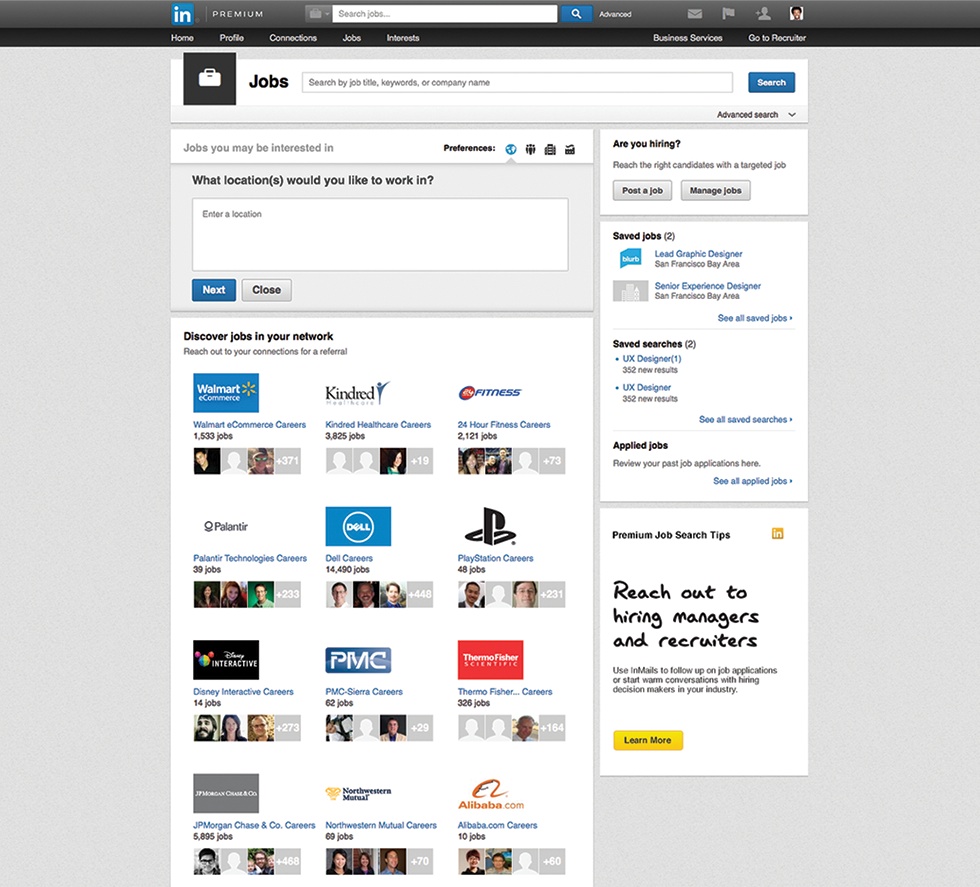
LinkedIn allows you to publish job postings, of course, but the more valuable recruiting approach is to empower your HR team to find potential candidates using LinkedIn search, then reach out to them directly and encourage them to join your team.

LinkedIn for Business: The Ultimate Marketing Guide | Hootsuite Blog
Image via LinkedIn.

2. Grow your network—and your potential supplier and customer base

Using LinkedIn for business is all about the network you build and the connections you make—think, for example, about vendors, the people you work with, and the people you meet at events.
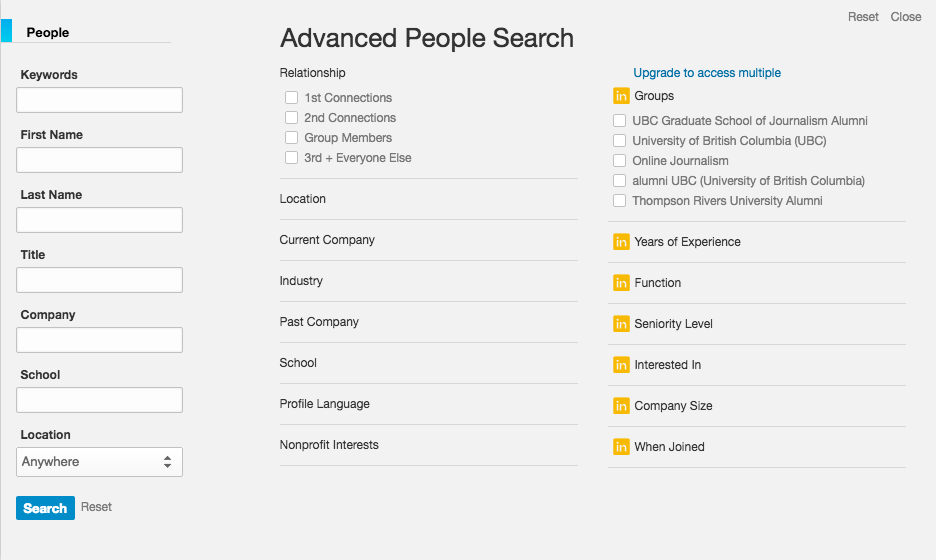
With LinkedIn’s advanced search capabilities, it’s not only about who you know, it’s about who they know. You can leverage existing relationships to build new ones and grow your network.

LinkedIn for Business: The Ultimate Marketing Guide | Hootsuite Blog
Image via LinkedIn.

That’s the real power of LinkedIn for business: the ability to tap into existing connections and grow your brand through word-of-mouth. Rather than simply racking up followers and connections, think about how you can work those relationships to uncover new opportunities to grow your business.
And just in case you’re unsure about whether all that effort will pay in terms of real dollars and cents, consider this: 50 percent of B2B buyers use LinkedIn as a resource when making purchasing decisions, and 76 percent of B2B buyers prefer to work with recommendations from their professional network.

How to promote your business with a LinkedIn Company Page

There are a couple of key ways to promote your business on LinkedIn. Let’s start with what you need to know to create a great LinkedIn Company Page.

What is a LinkedIn Company Page?

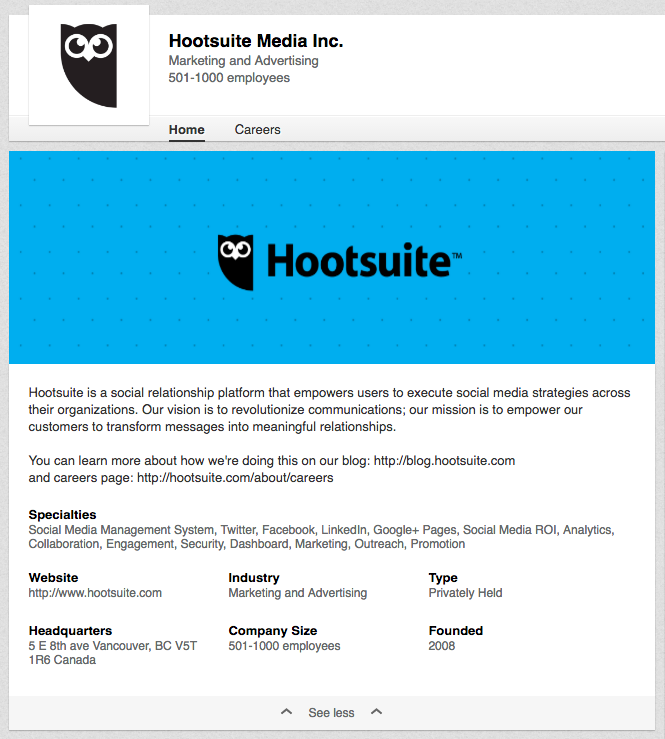
Company Page helps LinkedIn members learn about your business, your brand, and job opportunities with your company. Company Pages are also a great way to establish industry expertise. For example, the Hootsuite LinkedIn Company Page has more than 155,000 followers tuned in to the valuable and timely content we share—and that’s not including the 1.3 million people that follow CEO Ryan Holmes’ thought leadership articles.

LinkedIn for Business: The Ultimate Marketing Guide | Hootsuite Blog
Image via Hootsuite on LinkedIn.

The benefits of LinkedIn Company Pages

Originally, LinkedIn Company Pages were viewed primarily as HR landing pages for brands. Though this is still one way to use LinkedIn, the network is also becoming the perfect place to drive business results, raise brand awareness, promote career opportunities, and educate potential customers on your products and services.
Think of your company page as a supplement to your website: It helps you drive traffic to your site and provides an outlet to promote your products, services, and content. Your LinkedIn Company Page provides free marketing opportunities and enhances the credibility of your company. Rich content and compelling status updates can also establish your brand as a leader in your industry.
Your Company Page can also help increase brand awareness by boosting your company’s presence in search engine results. Use tools like Google Adwords and SEMRush to uncover the keywords that are important to your business, then incorporate them into your Company Page to help searchers discover your business online.

How to create a LinkedIn Company Page

The process of creating a Company Page is very simple—but don’t let that lull you into slapping something together without a strategic plan for your page and how to maximize its benefits. Let’s start with the nuts and bolts of getting your Company Page up and running.
Note: If you don’t have an existing personal LinkedIn profile, you’ll need to set one up before creating a page for your company.

1. Add your company

Head to the Add a Company page and enter your official company name and your work email address. LinkedIn will send an email to verify that you are eligible to create the Company Page.

2. Choose who can administer your page

You don’t need to be in this alone. LinkedIn allows you to choose which employees can administer your page.

3. Fill in your company details

You’ll provide your company details using several drop-down menus that indicate your industry, company size, and so on.

4. Add a banner and logo

Upload your company’s logo, and choose a banner image to capture the feel of your business.

5. Create a company description

You have 2,000 characters to describe what your company does, and why potential followers should care. This is important text, so get your marketing and content teams involved in crafting your messaging. Click “publish,” and your Company Page is online.
2:19

Wistia video thumbnail - Optimizing Your Profile Settings On Linkedin Company Pages
Learn how to get even more out of LinkedIn with free social media training from Hootsuite Academy.

LinkedIn Company Page tips and best practices

Just because you build a Company Page doesn’t mean that followers will come. You can boost your chances of success with the following LinkedIn for business tips and strategies.
2:51

Wistia video thumbnail - Engagement and Best Practices On Linkedin Company Pages
Learn how to get even more out of LinkedIn with free social media training from Hootsuite Academy.

1. Enhance your page with your brand’s personality

Think of it from your customers’ point of view. Ask yourself why they should be spending time reading your company profile. Make your banner image creative, and include relevant links to your other prominent channels like your website, blog, and so on.
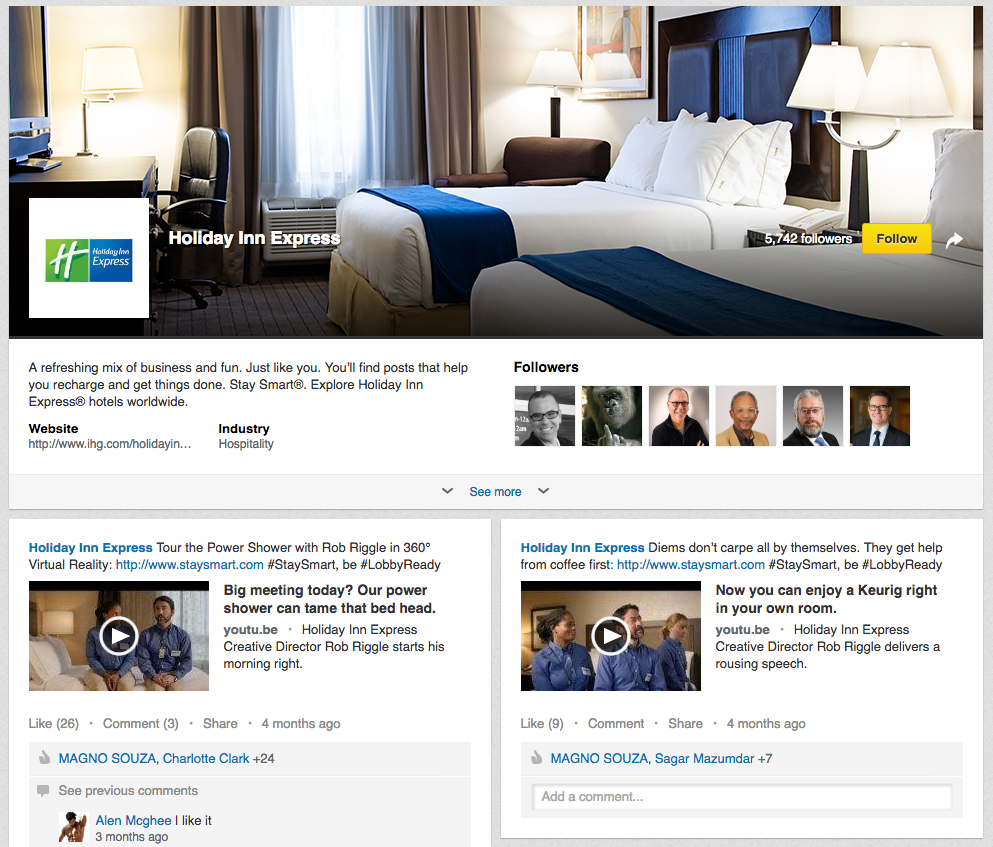
Holiday Inn Express uses a sense of humor consistent with its advertising in other channels throughout the content it shares on its LinkedIn Company Page, helping to convey a unique brand personality. Its Stay Smart LinkedIn campaign, featuring brand-appropriate humorous videos, helped increase online awareness of the brand by eight percentage points.

LinkedIn for Business: The Ultimate Marketing Guide | Hootsuite Blog
Image via Holiday Inn Express on LinkedIn.

2. Empower your employees to connect with your company’s LinkedIn Page

Your colleagues and/or employees are your best resources to start growing an audience. They are your biggest advocates, and by adding them as followers you also tap into each of their networks, expanding your reach tremendously. Encourage them to add your Company Page to their personal profiles, which automatically makes them followers and enables them to easily share company updates.
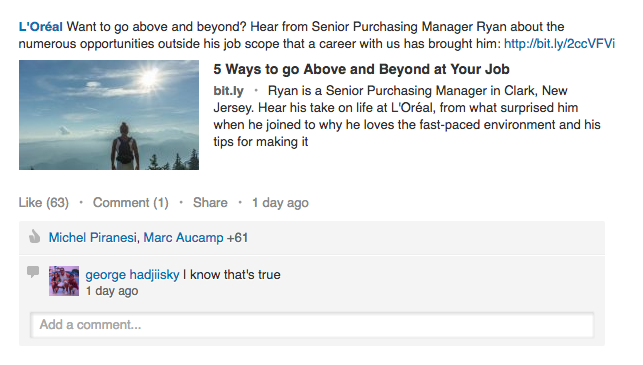
L’Oreal, for example, has more than 56,000 employees on LinkedIn and features them prominently in the content posted to the L’Oreal Company Page.

LinkedIn for Business: The Ultimate Marketing Guide | Hootsuite Blog
Image via L’Oreal on LinkedIn.

3. Provide valuable content and reply to followers’ comments.

The best way to grow your audience and keep your followers is to provide them value by posting articles or company updates on a regular basis. Make sure you are consistent in your posts, and try posting various types of updates—like company news, thought leadership, or industry expertise. Keep things interesting for your audience. Try actively engaging with them as well by asking what matters to them most, or what they’d like to see.
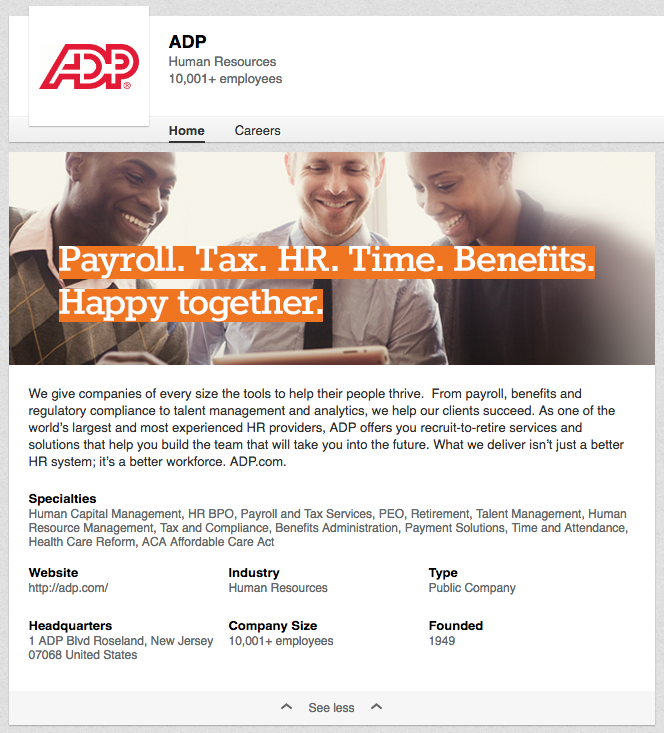
When ADP relaunched its LinkedIn Company Page with a tighter focus on providing quality content, primarily from its in-house research team, the company doubled its followers. Better yet, its follower base switched from 70 percent employees to only 30 percent employees, meaning more external followers and an expanded network reach.

LinkedIn for Business: The Ultimate Marketing Guide | Hootsuite Blog
Image via ADP on LinkedIn.

How to promote your business with LinkedIn Groups

Once your Company Page is up and running, it’s time to expand your LinkedIn reach with LinkedIn Groups.

What is a LinkedIn Group?

LinkedIn Groups provide a place for professionals to network, share content and ideas, recruit talent and look for work, and establish industry expertise.
To find a group with interests that align with your business goals, use the search feature at the top of your LinkedIn homepage or check out LinkedIn’s suggestions of Groups you may like.
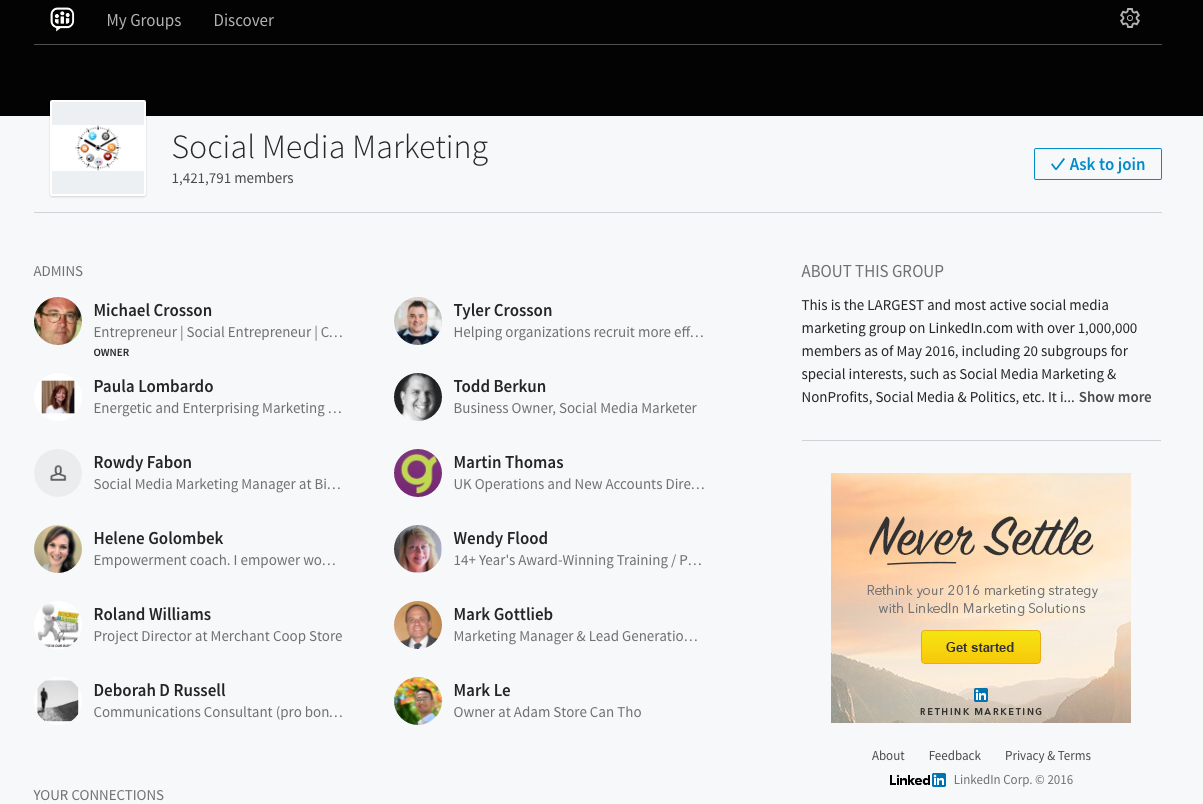
You can also create a new Group based on whatever topic or industry you’d like.

LinkedIn for Business: The Ultimate Marketing Guide | Hootsuite Blog
Image via Social Media Marketing Group on LinkedIn.

The benefits of LinkedIn Groups

There are numerous benefits to joining LinkedIn Groups, no matter what industry your business is in. Being an active participant in a Group can help you and your business network with other professionals and businesses in your field, especially those outside of your immediate circle of current and present colleagues, classmates, and employers. LinkedIn Groups can help you build your company’s online reputation by sharing valuable information relevant to your industry. Participating in a Group discussion will also attract views to your Company Page.
2:29

Wistia video thumbnail - Building Your Community On LinkedIn
Learn how to get even more out of LinkedIn with free social media training from Hootsuite Academy.
If you are a content marketer, Groups can help you get more eyes on your content, and get constructive feedback from other professionals in your field. While it’s important to consider the competitive nature of many industries (and not be overly generous when sharing unreleased content or ideas), it can also be incredibly helpful to brainstorm ideas with professionals inside your industry but outside of your organization. Alternatively, Groups can help you gain insight into your target audience. You can join Groups with audience demographics you think may be interested in your brand’s product or service to see what kind of information the participants deem valuable and worthy of sharing.
With over 1.6 million existing Groups out there, finding the right ones for your business can at first seem like an impossible task. To make the task easier to tackle, we’ve come up with these tips to help you navigate LinkedIn Groups.

Tips for engaging in LinkedIn Groups

1. Join groups relevant to your interest and profession

If you have taken the time to fill out your LinkedIn profile completely, LinkedIn will send you Group recommendations based on the skills and experience you’ve chosen to include. Those relevant to you personally will likely also be a good fit for your company.
To take matters into your own hands, you can use keywords and search Groups in the directory. For example, to find a group that focuses on content marketing in Australia, type “content marketing” and “Australia” into the search bar, then choose “Groups” from the drop-down menu on the left, and you’ll find the Content Marketing Australia LinkedIn Group. Make sure to take note of the date of the last posting in the group—you want to spend your valuable time on active Groups only.
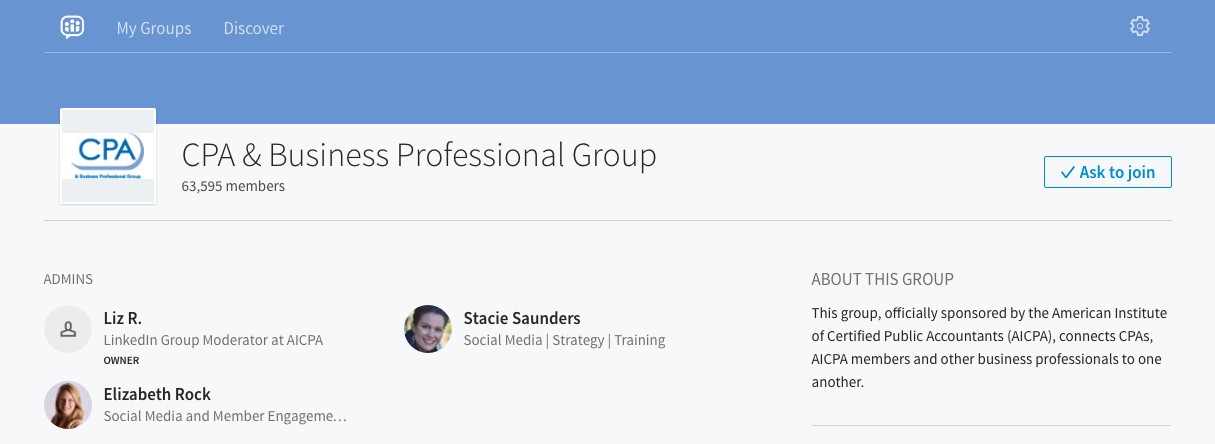
If you belong to an association, check to see if it has a members-only LinkedIn Group, which can be a valuable source of professional networking and development. The American Institute of CPAs, for instance, sponsors a LinkedIn Group with more than 63,000 members, where in-depth professional conversations can continue for months.

LinkedIn for Business: The Ultimate Marketing Guide | Hootsuite Blog
Image via CPA & Business Professional Group on LinkedIn.

2. Share your company’s content in Groups to increase traffic to your site

Contributing to a discussion will make both your profile and your Company Page more visible, and can also help establish you and your company as thought leaders.
Be sure to provide value and context to your post when sharing—don’t just copy-and-paste the URL. If you know of a blog post or a news article from an external source that fits a discussion, share it with others. Even if the content doesn’t originate from your team, it will contribute to credibility among group members.
2:03

Wistia video thumbnail - Best Practices for Sharing Content on LinkedIn Company Pages
Learn how to get even more out of LinkedIn with free social media training from Hootsuite Academy.

3. Engage in Groups by providing insight and commenting on other people’s posts

If all you do in a Group is promote your own content, others will quickly catch on, and may dismiss the value of your content or your brand in general. To avoid this, be courteous to others—after all, there may be many opportunities to learn the skills of the trade from other experienced professionals. Take note of inquiries, and don’t hesitate to share your own experience.
Above all, remember that LinkedIn is a professional network that allows you to build credibility, create a meaningful network, and glean insider expertise from established experts in your industry. It’s a valuable tool in your social marketing arsenal, so make sure you’re using every opportunity it provides, such as its advertising options.