Saturday, March 25, 2017

101 Turning Your Pinterest Profile Into a Money-Making Machine


Pinterest has 150 million monthly users—and 93 percent of them use the site to plan or make purchases.

As a discovery and research tool, Pinterest is a key part of the buyer’s journey. Continue reading to learn how you can use Pinterest to make money and grow your business.
6 ways to drive revenue and make money on Pinterest
1. Promote Pins to boost traffic and sales

Promoted Pins are the core of Pinterest’s advertising options. A Promoted Pin looks just like a regular Pin, but a company pays to have it seen by more audience members. With Promoted Pins, you get access to:

  • Top placements on Pinterest
  • More desired audience targets
  • Greater creative ad units
  • Higher reach

These benefits drive awareness, engagement, and traffic—which collectively help increase revenue. An internal brand study found people who saw Promoted Pins had 40 percent greater awareness of new products and 50 percent higher purchase intent than those who hadn’t.

To make money on Pinterest, you first need an audience. Run a traffic-generating campaign with Promoted Pins to people to your website and boost sales. Advertisers who run traffic campaigns see an average of 20 percent more clicks in the month after the start of their campaign.

Lingerie and lifestyle brand Adore Me saw a whopping 4,000 percent increase in Pinterest-referred revenue thanks to a Promoted Pins campaign. Not only that, but they saw a 50 percent increase in their click-to-purchase rate on Promoted Pins when compared to other channels.

For more information on Promoted Pins, check out our post Pinterest Ads: The Complete Guide for Business.
2. Make purchasing easier with one-tap Promoted Pins

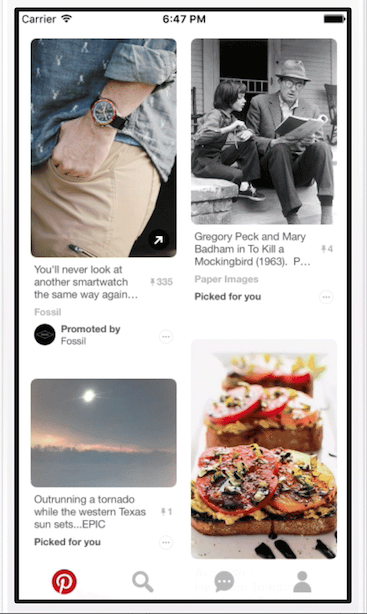
Instead of being given the choice of whether to save the Pin or go to the source, users are automatically taken to the Pin’s origin. Twice as many Pinterest users are finding items to purchase through the new One-Tap Promoted Pins since the feature launched.

One-Tap Promoted Pins can be identified by a small arrow in the right-hand corner.
3. Promote your app to drive downloads

If your revenue comes from the purchase of paid apps, Promoted App Pins make it easier for your target audience to find you. As Pinterest explains, “These Pins link directly to the store so you can download the app and start using it right away.”
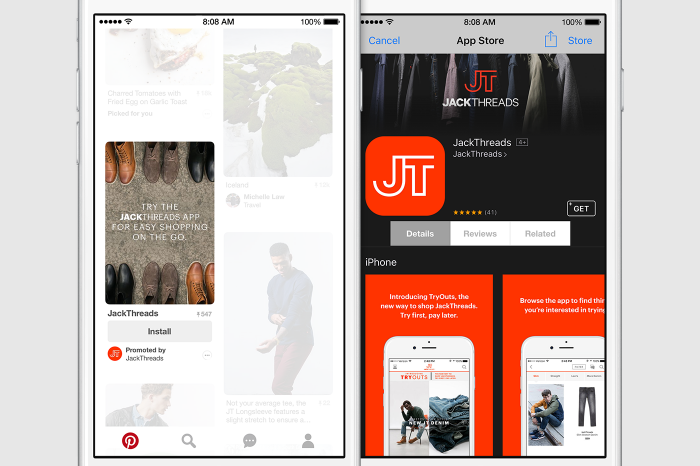

Promoted app Pins round out Pinterest’s offerings for app developers and marketers. In addition to promoted app Pins, Pinterest users can click on regular App Pins to install iOS apps without leaving Pinterest.

Pinterest explains: “With more than 75 percent of traffic to Pinterest coming from mobile devices, we wanted to make finding apps for all types of interests a little bit easier.”
4. Showcase your products with Promoted Video

Pinterest video has the power to convert. Sixty-seven percent of Pinterest users say video inspires them to take action, compared to 32 percent of users on other social media platforms.

Pinterest’s Promoted Video Pins play within the platform and save the user from having to click away. Once the user watches the Promoted Video, they are given a selection of related ideas—such as pages to visit and Pinterest boards to follow—that show them how things work, or where they can buy the products showcased in the video.

To make the most of this ready and willing audience, Pinterest provides the following tips:
Use one of two best-performing video types—storytelling or how-to
Prioritize quality over length
Optimize for action, not views

Footwear megabrand Hunter Boots used a storytelling format with their Promoted Video ads on Pinterest to launch a new collection. They used longer videos to celebrate the joy of rain and shorter videos to highlight specific products.

During their Promoted Video campaign, Hunter saw Pinterest branded search traffic rise by 30 percent. More searches mean more people seeking out a product—a boost that’s reflected in your sale numbers.


5. Search ads to get your products in front of new customers

Search marketing allows brands to engage with customers earlier in the buying journey. Over 2 billion searches per month happen on Pinterest—most of them for products or services people are looking to buy.

Pinterest partnered with digital advertising leader, Kenshoo, to launch Search Ads in January 2017. “With Search Ads on Pinterest, our clients can promote visually engaging ads as consumers search for relevant products,” Will Martin-Gill, Kenshoo’s Chief Strategy and Development Officer says.

So if your customers are searching for athletic wear, and you’re an athletic wear company, your products will appear in their search results. Search Ads’ suite of features includes:
  1. Keyword Campaigns
  2. Shopping Campaigns
  3. Targeting options
  4. Enhanced reporting capabilities

Seventy-two percent of users say Pinterest has introduced them to a new brand or service. Brands who advertise on Pinterest using formats such as Search Ads are able to reach consumers before they’ve made final buying decisions. This fuels audience growth and higher sales.
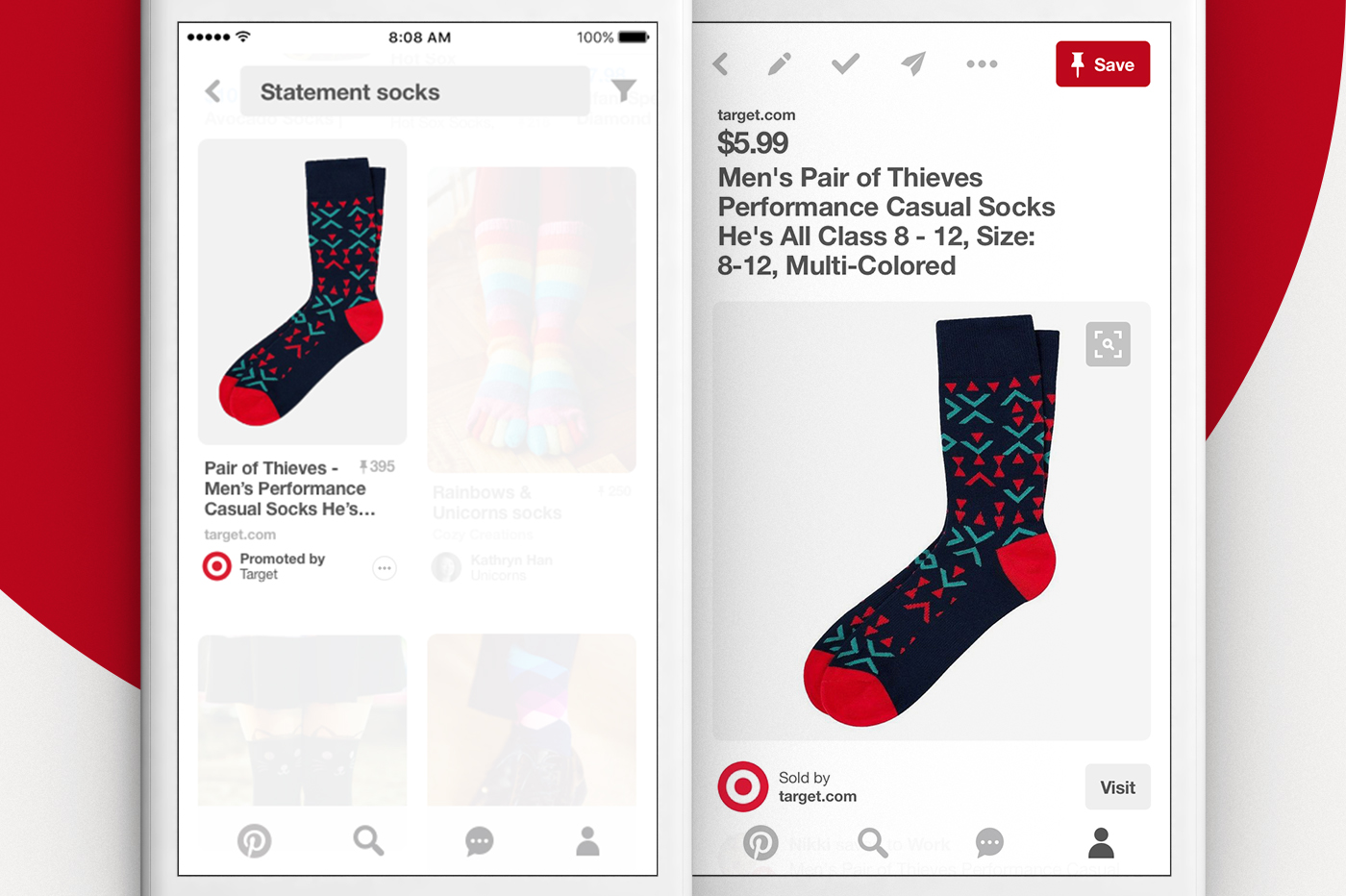

An Oracle Data Cloud study found CPG brands who advertised on Pinterest saw five times more revenue per impression. What’s more, 70 percent of retailers’ additional sales came from new customers who found them through Pinterest’s advertising options such as Search Ads.
6. Make in-platform purchasing possible with Buyable Pins

Buyable Pins let users purchase products or services with just a few clicks—without leaving Pinterest. Buyable Pins are recognized by their blue price and a “Buy It” button in their description. Thanks to integrations with eCommerce platforms such as Shopify, customers can checkout without leaving Pinterest and sellers can track their Buyable Pins’ performance.

Buyable Pins helped ethical shopping site FlyAway BlueJay boost their sales, especially among new audiences. The online shop used Buyable Pins to reach new customers, increase leads, and achieve sales goals.

“Pinterest is the number one source of social traffic and sales for the shop,” shares Holly Feld, FlyAway BlueJay’s owner and founder.

By creating boards that included a mix of Buyable Pins and non-Buyable Pins, FlyAway BlueJay inspired audiences and highlighted their products at the same time. Thanks to this, 100 percent of their Buyable Pin sales came from brand new customers, with Pinterest driving 20 percent of their overall sales and 28 percent of their overall web traffic.

“Buyable Pins make Pinterest more user-friendly for both people shopping for the perfect gift and for businesses trying to reach new clients,” Feld explains.
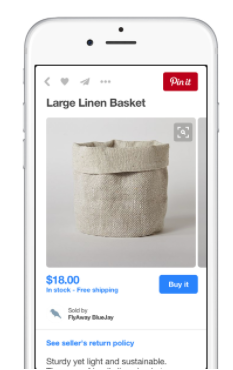


For more information on Buyable Pins, Pinterest offers a resource helping you learn how to get started with Buyable Pins, as well as a Pinterest Board sharing tips and tricks for using Buyable Pins.

Pinterest offers powerful ways to drive sales and leads—generating revenue for your business. With a variety of promotion and advertising options, you can pick and choose the solution that makes the most sense for your brand.

Thursday, March 23, 2017

2017 The Most Powerful Social Media Monitoring Tools


Social media has provided people the ability to voice their opinion on companies, brands, people—in short, anything and anyone. What people say can be good or bad, but that alone doesn’t determine your social media success. The way your company listens and engages with these social media posts is what dictates how those opinions influence your online presence and brand sentiment.
Social media monitoring (also known as social listening) allows you to gain powerful insight into your customers, competitors, and industry influencers. To take full advantage of social media listening, you need to spread your monitoring across several social media channels, and keep a constant watch for new opportunities. However, acquiring these insights takes time, and the use of the right tools.
To help you choose which social media monitoring tools to use, we’ve compiled a list of 11 tools to get you started—all of which are available in the Hootsuite App Directory or the dashboard itself.
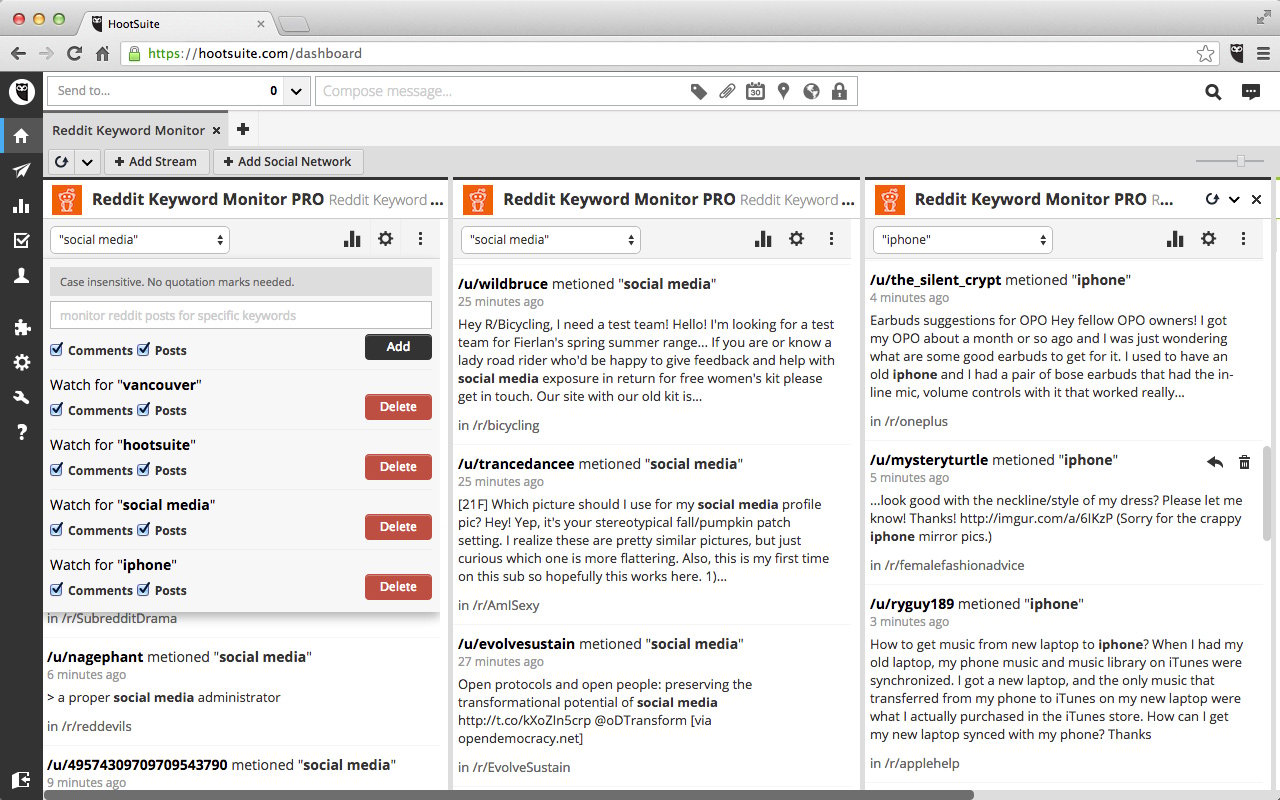
With over 234 million unique users and 8 billion monthly pageviews, listening and monitoring your brand on Reddit should be part of your social media monitoring strategy. Use the Reddit Keyword Monitor app to monitor who is talking about your brand, business, or competitors. The last thing you want is having some stranger host a Reddit AMA (Ask Me Anything—a traditional Reddit Q&A session) on behalf of your company, and only finding out after it happened.
social media monitoring tool - Reddit Keyword Monitor Pro
Key features include:
  • Set keywords and phrases you’d like to monitor on Reddit
  • Select to limit keyword searches to posts or comments
  • Share Reddit posts easily across your Hootsuite social networks
  • Quick access to the posts to respond and engage
  • View analytics reports on keyword occurrences over time
  • Monitor unlimited keywords across Reddit

2. Geopiq for Instagram

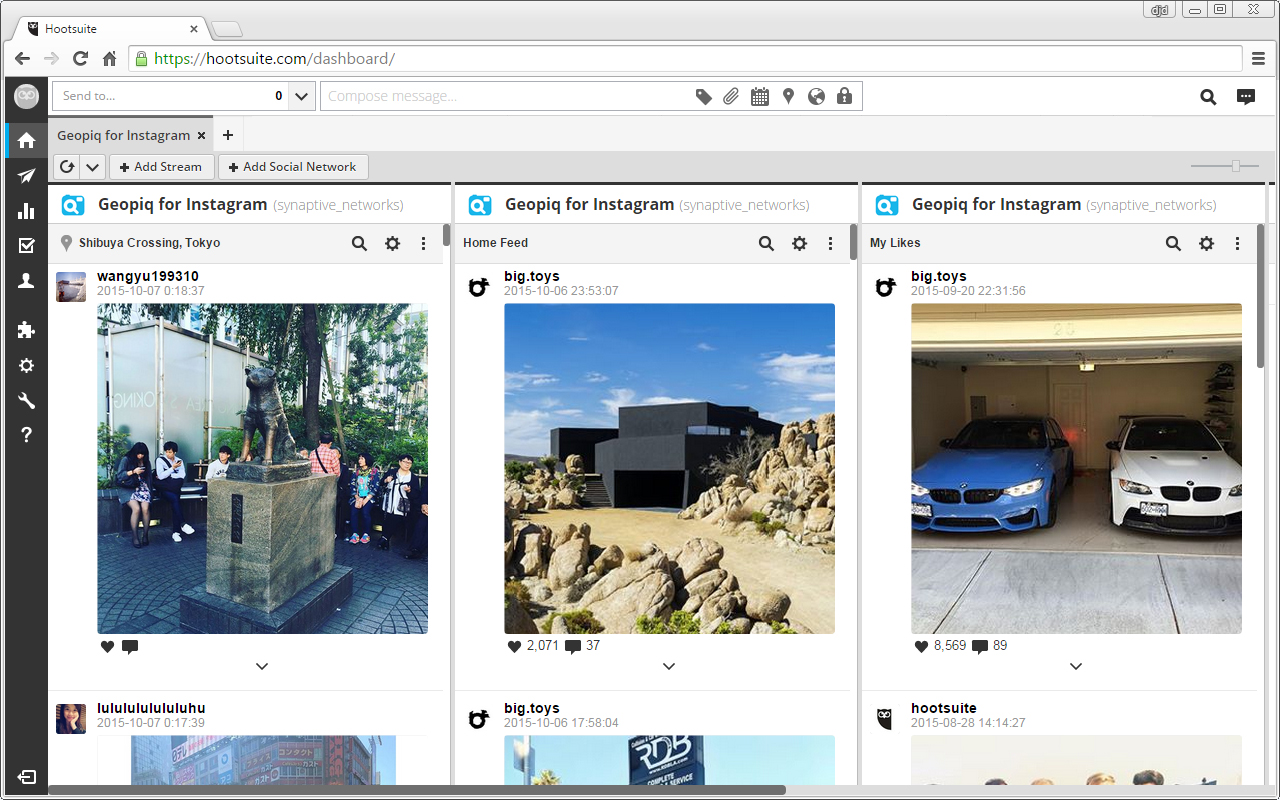
With a community of over 400 million users (and a  majority age group being 18 to 29), wouldn’t you want to make sure you’re monitoring what people are posting on Instagram? Especially if the demographic of your audience falls in that age range. With the Geopiq for Instagram app you can monitor posts by location, hashtag, or username. The app within Hootsuite allows you to monitor and engage with users that are posting in your area, or an area you choose to follow. For example, you can use this tool for events to see what is being posted and to engage via comments to all those who attended your event.
Geopiq Social Media Monitoring 2
Key features:
  • View pictures being posted to Instagram by location
  • Monitor posts on Instagram by location, hashtag, or username
  • Engage with users by posting comments
  • Share your Instagram photos with your social networks
  • View your photos and a feed of photos for the users you follow, popular photos and your ‘likes’, all in your dashboard
  • View and post comments and ‘likes’
  • View user information: number of photos, plus follower and following count

3. Hootsuite Syndicator Pro

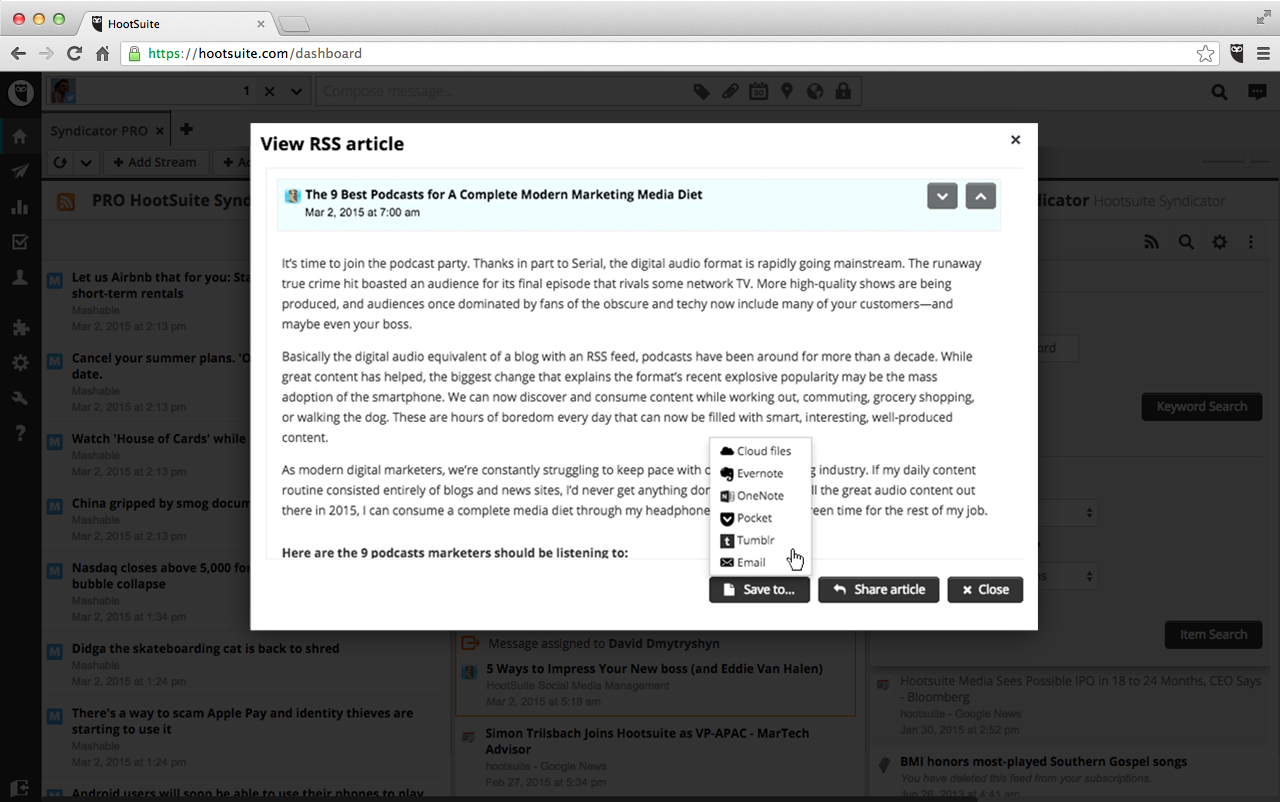
Manage and monitor all your favorite blogs and websites with Hootsuite Syndicator Pro. This tool provides a quick and easy way to view RSS feeds and share them to your social media channels, as well as rich filtering, monitoring and tracking tools, and most important, the ability to track which stories you’ve shared.
social media monitoring tool - Hootsuite Syndicator Pro
Key features:
  • Add streams of articles and stories via RSS feeds
  • Import and export OPML or XML files to add and share your RSS feeds
  • Easily manage large lists of RSS feeds with a rich toolset: set up Groups and filters, mark stories as ‘read’ or ‘unread,’ mark articles as favorite or ‘read it later’
  • Share articles and stories to your social networks, and track the stories you have shared
  • Leverage your Hootsuite teams functionality to assign items to your teammates for follow up
  • Save articles to other sources like Pocket, Evernote, OneNote, Google Drive, Tumblr, and more

4. Reputology

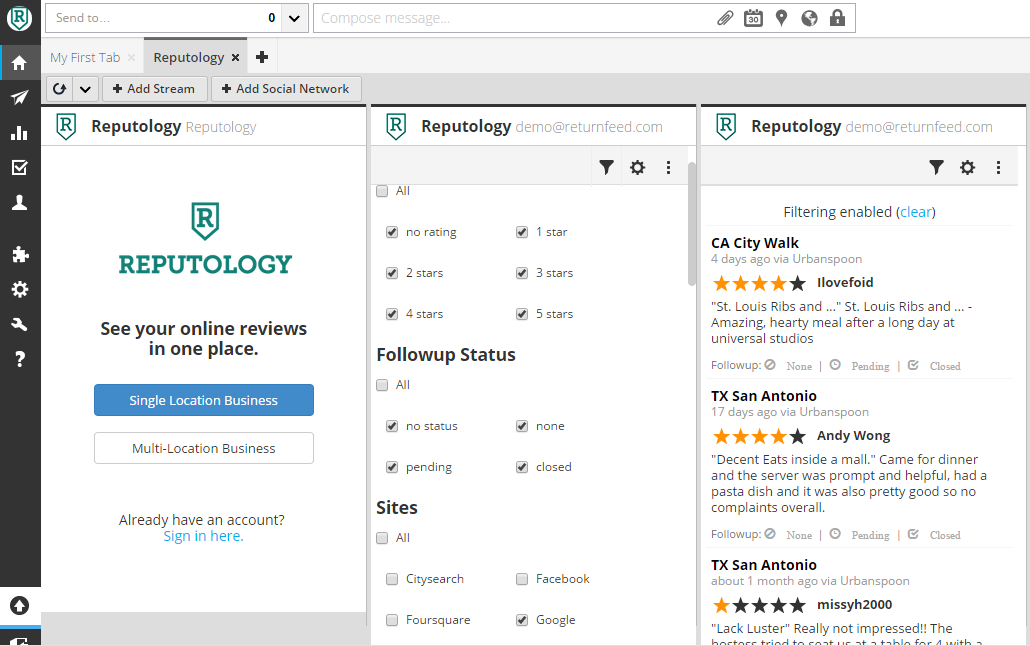
Online reputation management is extremely important and surprisingly easy. It’s crucial that your brand manages its reputation offline and online. With the Reputology app, you can monitor and check major review sites so that you can engage with reviewers and resolve any issues in a timely manner.social media monitoring tool - Reputology
Key features:
  • Monitor all the major reviews sites: Yelp, Google, Facebook reviews, and more
  • Track activity across multiple storefronts and locations
  • Respond quickly via quick links
  • Email reviews to all relevant parties for proper escalation
  • Keep tabs on how reviews are followed up with by assigning reviews as tasks to users and tagging reviews by status
  • Create user levels with different permissions

5. Hootsuite Insights

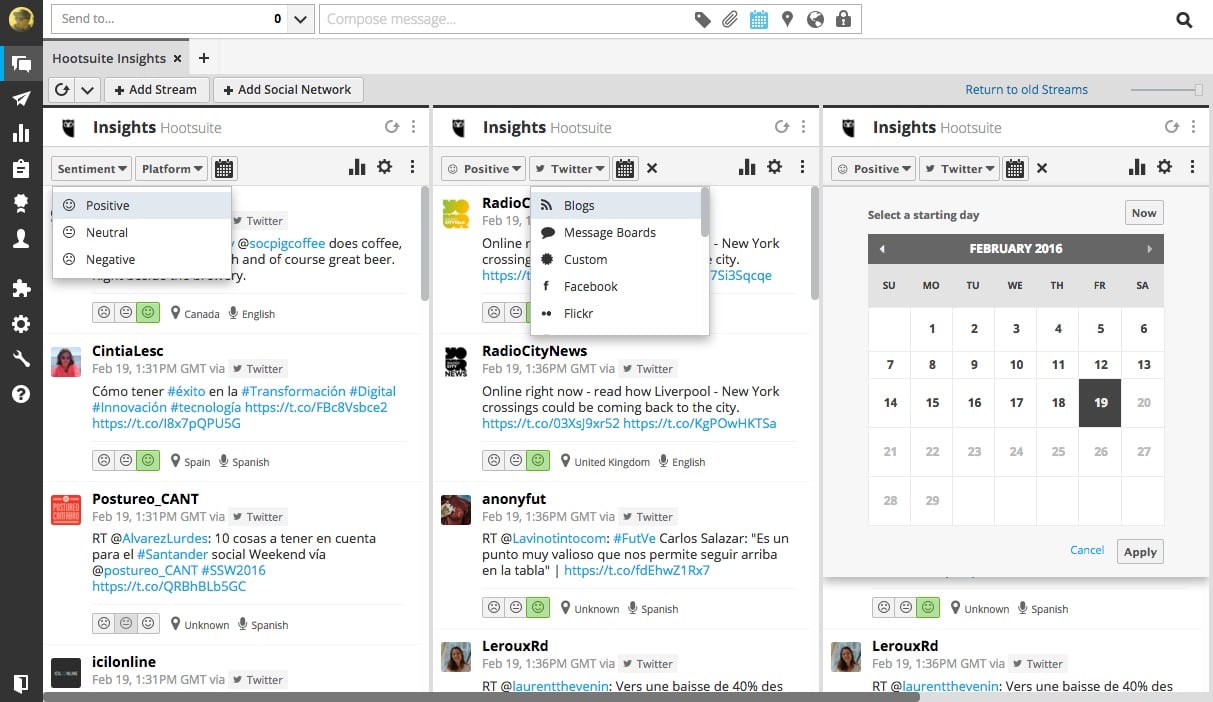
What do you get when you combine social media listening, analytics, and powerful social media monitoring capabilities? Hootsuite Insights. This tool allows you to gain powerful real-time insights about your brand; track influencers, stories, and trends; and visualize the metrics, all in one place.
Hootsuite Insights Social Media Monitoring
Key features:
  • More data sources in Hootsuite with results from more than 100 million sources now in your engagement platform
  • Engage directly from stream and take action on previously hidden results
  • Filter and tailor results by sentiment, platform, location, and language
  • Historical coverage: reach into the past to bring a stream of mentions to the forefront of your content and engagement team
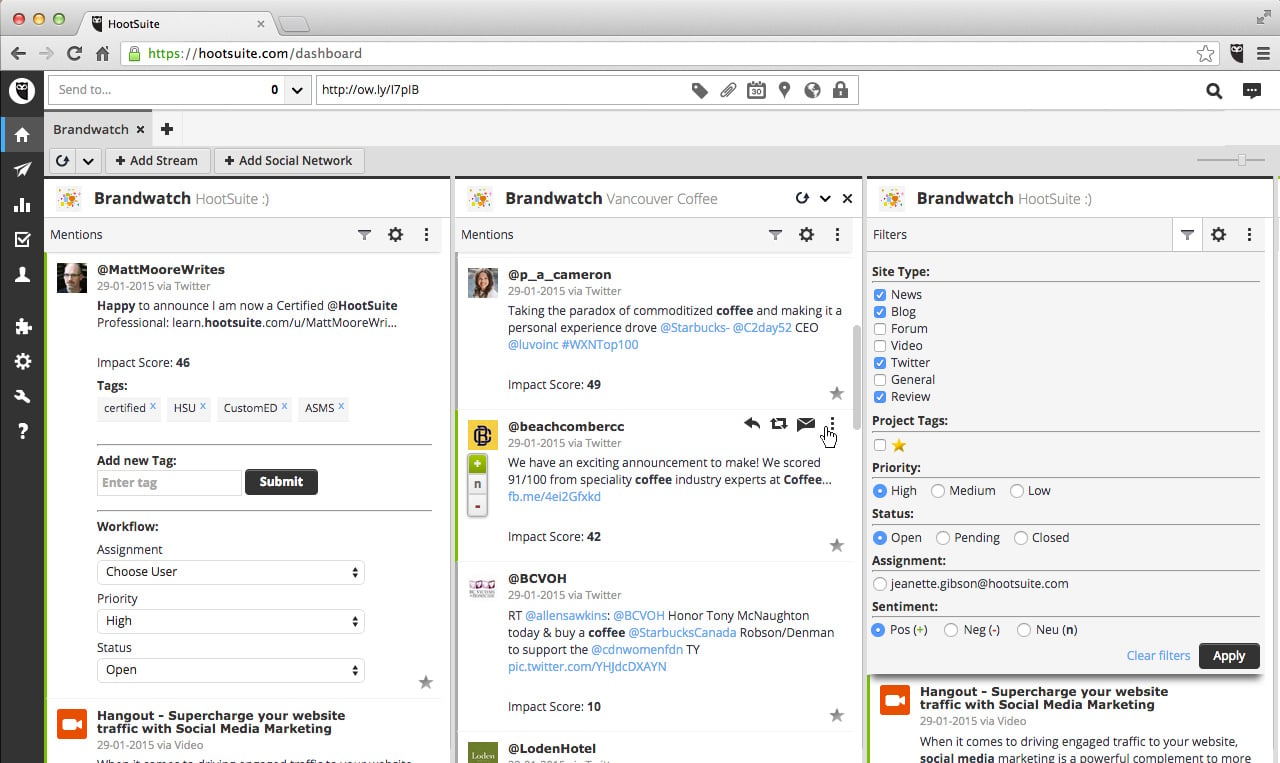
The tool’s name says it all—watch your brand with Brandwatch. Strengthen your social media monitoring capabilities with the power of deep listening. With the Brandwatch app in Hootsuite, you can identify key insights from more than 70 million traffic sources across the web, including major social channels, blogs, forums, news and review sites, and much more. Make real-time, informed decisions with Brandwatch and take action on them.social media monitoring tool - Brandwatch
Key Features:
  • Never miss a mention with data from more than 70 million sources including blogs, forums, social networks, news, videos, and reviews
  • Monitor the tone and impact of brand mentions and surface important issues with Brandwatch’s advanced sentiment and impact scoring
  • Use Brandwatch’s advanced segmentation and filter your streams by authors, categories, tags, priority, and more for more targeted listening
  • Assign and respond to mentions found with Brandwatch instantly from your Hootsuite dashboard
Whether it’s a positive or negative online review, your response should be in the same place as that review. With the ReviewInc app for Hootsuite, view over 200 popular review sites across over 100 countries. Organize positive reviews for sharing on social media sites, and resolve negative issues instantly. 
Key features:
  • See a stream of online reviews from over 200 popular review sites in one place, including Yelp, Foursquare and Google Places
  • Monitor multiple streams of reviews, engage with customers, and share positive testimonials of your business
  • Workflow tools allow you to coordinate responses to a review across your teams
  • Multiple account support: manage multiple locations, companies or set detailed filters for the app

8. Synthesio

It’s no secret that social listening arms you with the information you need for deeper insights and better-guided business decisions, and Synthesio is a comprehensive option to help you with this. The tool lets you and your team listen to the social media conversations most important to you, analyze these conversations, and engage with them.
Synthesio
Key features:
  • Monitor multiple mention streams at once
  • Share more efficiently using Hootsuite’s unparalleled share-to-social networks tool
  • Reply, Retweet, or DM with Twitter users directly from the app in Hootsuite
  • Assign mentions to other teams or members of your organization to resolve them

9. Crowd Analyzer

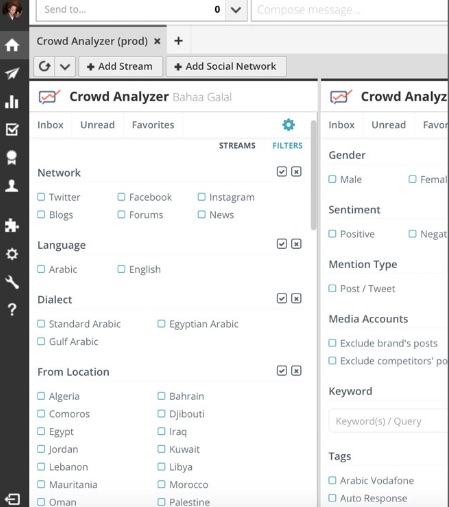
If you or your customers are based in the Middle East, Crowd Analyzer is an invaluable tool for social media monitoring and analytics. As the first Arabic-focused social media monitoring platform, Crowd Analyzer works “through sophisticated natural language processing algorithms” to analyze “Arabic content in terms of relevancy, dialect and sentiment.” Crowd Analyzer not only monitors major social networks, but blogs, forums, and the news as well.
crowd analyzer
Key features:
  • Monitor multiple streams at once.
  • Use more than 60 powerful filters such as language, location, gender, and sentiment to filter through your content.
  • Search your content by keyword.
  • Reply, Retweet, or Tweet directly from Hootsuite.
  • Tag your content directly from Hootsuite and use these tags to drive your analytics on Crowd Analyzer.
10. 76Insights
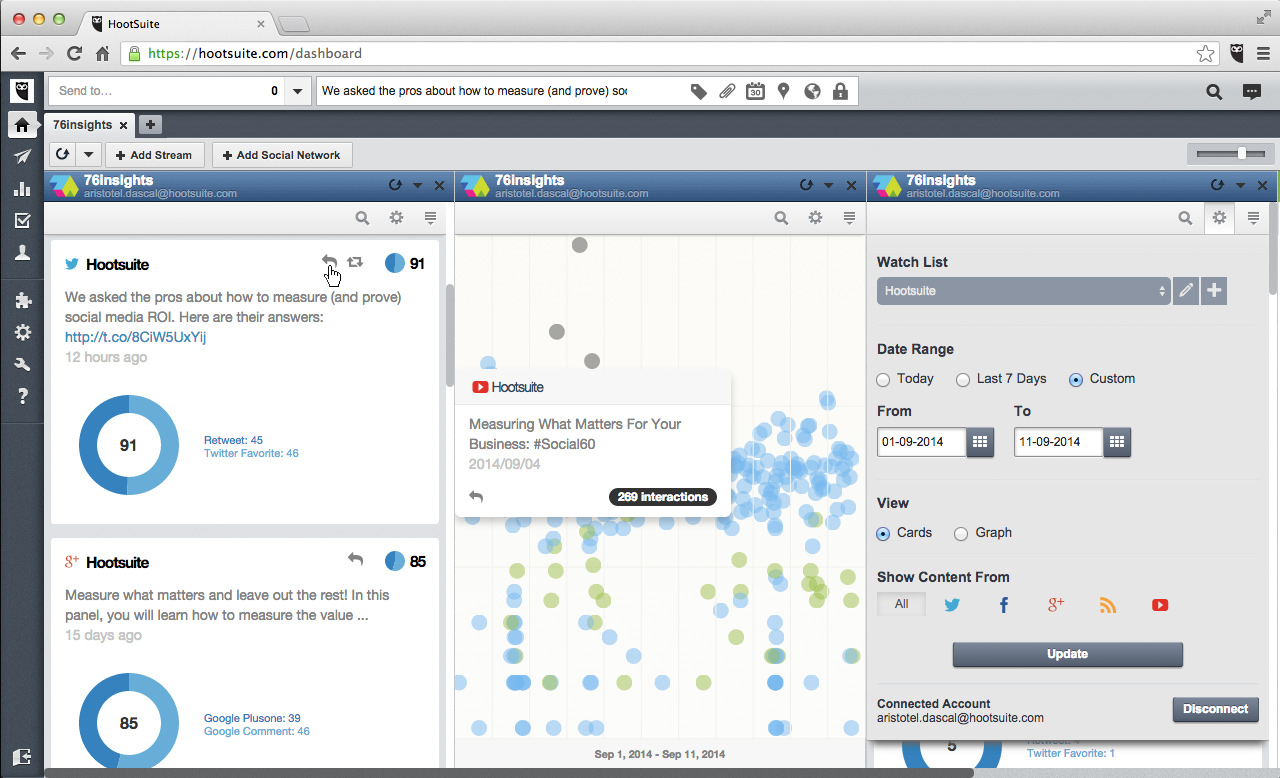
If content marketing is an important aspect of your Facebook marketing strategy, use 76Insights. This social media monitoring tool measures the resonance of your social media content and breaks down your resonance score, which is the number that measures how much social media engagement someone receives after publishing something.
Social media monitoring tool - 76Insights
Key features:
  • Measure the resonance of your social content
  • See resonance score breakdowns by social network
  • See your content performance with intuitive visualizations
  • Group social accounts into handy watchlists
  • Share the most resonant content with your social networks
11. Hootsuite
On top of all the social media monitoring tools mentioned above, Hootsuite Pro provides social listening capabilities right in the dashboard. Monitor specific keywords, hashtags, regions, and so much more. Stay on top of what people are saying about your brand and listen to your customers and competitors to gain competitive advantage

Key features:
  • Grow your followers and monitor conversations
  • Save time publishing content to your networks
  • Improve ROI and analyze campaign performance
  • Up to 50 social profiles
  • Access to premium apps
  • One enhanced analytics report
  • Bulk message scheduling

Monday, March 20, 2017

Social Media Apps You Should Be Using in 2017


If you’ve ever tried to build classic flat pack furniture without that special screwdriver, you know how important the right tool can be. For social media managers, knowing the right tools and the best apps can make all the difference between a successful campaign and a mediocre one.

With countless new apps being launched every day, it can be hard to know which ones are worth using. To help you with that, we’ve compiled a list of our favorites below. Tap a name to jump to the description or continue reading for the complete rundown

.Top social media apps for marketers

1. Pyrus

2. Bear

3. Pocket Casts

4. Hootsuite Enhance

5. DuoBook

6. Headspace

7. Boxer Pro

8. Into

9. Daycap

10. Confide

Pyrus

Free on the App Store
Coming soon to Android
You can’t afford an inefficient workflow when you’re managing a team. Pyrus makes sure you don’t have to.
The Pyrus app is a team communication tool for real-time messaging, task delegation, and approval flows. It keeps you updated on your team’s tasks and progress with an integrated search feature.
The Pyrus app allows for increased collaboration with chat and quick file-sharing. If you’re on the go and without internet access, Pyrus enables offline functionality. For social media managers this means the most streamlined processes yet.  

Bear

Free on the App Store
Free for Mac
You never know when your next content idea will strike, but with Bear at least you know you’ll have a place to keep it. Bear is an intuitive and aesthetically pleasing writing and note-taking app that will also help keep you organized.
You can hashtag your notes and content to link them together and easily find them in the future. Bear’s Advanced Markup Editor allows for clear editing and sharing options so you can collaborate easily across teams. 

Pocket Casts

$5.99 on the App Store 
$3.99 on Google Play
Podcasts are a go-to source of information for many social media marketers. But with so many great options, it can be a struggle to find and keep track of all the great programs out there. Thankfully, Pocket Casts exists. The app has been called the best podcast app for both iPhones and Android devices—and for good reason.
The Pocket Casts database includes any podcast you could ever want, with over 300,000 unique shows. These are sorted by featured, trending, and most popular, so you can easily find something new.
With advanced playback features, you can trim silence and add volume boost to help reduce background noise. Other features like intuitive queues and syncing options make Pocket Cast a must-have.

Hootsuite Enhance

Free on the App Store
Instead of cluttering your smartphone with a different app for every function, choose an all-in-one solution for your visuals. Hootsuite Enhance lets you source stock images from a comprehensive library, edit these images with quality tools, and share the images to your social media networks.
Time is money for social media managers, and Hootsuite Enhance saves you both (did we mention it was free to download?). 

DuoBook

Free on the App Store
Most of the social media managers I know have multiple books on the go at any given time. If you struggle with focusing on and completing one book, the DuoBook app can help.
DuoBook saves your place and lets you easily switch between reading an eBook and listening to an audiobook. If you get sick reading in a moving vehicle or are driving, the audiobook format lets you catch up on your book—perfect for social media managers on the go. 

Headspace

Free on the App Store
Free on Google Play
Social media never sleeps. If you’re a social media manager, you know this better than anyone. The expectation to be “on” at all times can lead to burnout, stress, and an unhealthy work-life balance. The Headspace app works to quiet the mind and sharpen your focus with guided mindfulness meditation.
With Headspace, busy social media managers can choose how long they want their sessions to be.

Boxer Pro

Free on the App Store
Free on Google Play
If “Inbox Zero” is your goal, Boxer Pro is the app for you. The innovative email, calendar, and contact manager helps you tackle your inbox more efficiently.
Busy social media managers can take advantage of features like “Quick Replies” to set and send canned responses. The “Email Like” feature will save you even more time, allowing you to quickly acknowledge a sender’s message when it doesn’t require a more thorough response.
With customizable features like the ability to specify your swipe gestures (to complete functions such as delete, archive, spam, etc.), Boxer Pro sets itself apart from the email client crowd. 

Into

Free on the App Store
Endorsements and partnerships with influencers allow you to reach new networks and a broader audience. But finding these influencers can be difficult.
The Into app helps solve this problem by connecting businesses and brands with agency-represented influencers that include popular bloggers, social media industry leaders, celebrities, and models.
Influencers themselves can use the app to discover endorsement and sponsorship opportunities in their area. 

Daycap

Free on the App Store
Coming up with new content every day is a common challenge for social media managers. The Daycap app provides a fresh way to generate engaging visual posts. Daycap creates a GIF of the photos you’ve taken over the course of a day.
You can then add locations to your GIFs, and easily share them to Instagram. Use Daycap to create and share GIFs of behind the scenes content, event highlights, and employee profiles. 

Confide

Free on the App Store
Free on Google Play
Free for Mac and Windows
Messaging apps are must-have tools for many social media managers, but sometimes security and privacy are overlooked.
The Confide app provides end-to-end, military-grade encryption along with disappearing and screenshot-protected messages.
While Snapchat users have found ways to get around the screenshot issue (such as taking a photo of a Snap with another device), Confide’s patent-pending reading experience unveils only a sliver of each message at a time and ensures the sender’s name is not visible.
The right tools can make the job of a social media manager much easier. Better processes and greater efficiency lend more time to working on what matters—creating engaging content and building online communities.