Stephen Darori is a Social Media Expert,Author, Publicist,Finance and Marketing Whiz , Strategist ,Journalist, Editor Prolific Blogger. Editor. You can follow Stephen Darori on Twitter, Facebook, Linkedin and other Social Media Platforms.
Stephen Darori & Associates has led major Social Media and Digital Campaigns for wide ranging clients that have included Hilary for America, the Democratic Party ,Democratic Alliance ( South Africa), Fortune 1000 companies and Shabbat.com
Showing posts with label The Darori Foundation. Show all posts
Showing posts with label The Darori Foundation. Show all posts
We were once responsible for describing our own tastes, which meant we sometimes lied about them. At the very least, we had strategically selective memories. I could tell you which Pitchfork bands I’d been loving lately — conveniently omitting how many times I’d listened to the original recording of Jesus Christ Superstar in the past week. I might’ve talked up a sleeper indie film only playing in a handful of arthouse theaters, mentioning how the director had become a favorite of mine, without admitting that I’d seen Blade II twice. It used to be up to friends and family to call out our trashier interests.
But streaming services have put an end to that. Each year-end now brings massive number dumps from the likes of Spotify and Netflix, as if to remind us exactly how much personal information they can hoover up through users’ relationship to entertainment. Perversely enough — and to a strange acclaim in the world of creative marketing — these two digital giants have used their extensive findings to roast their outlying customers.
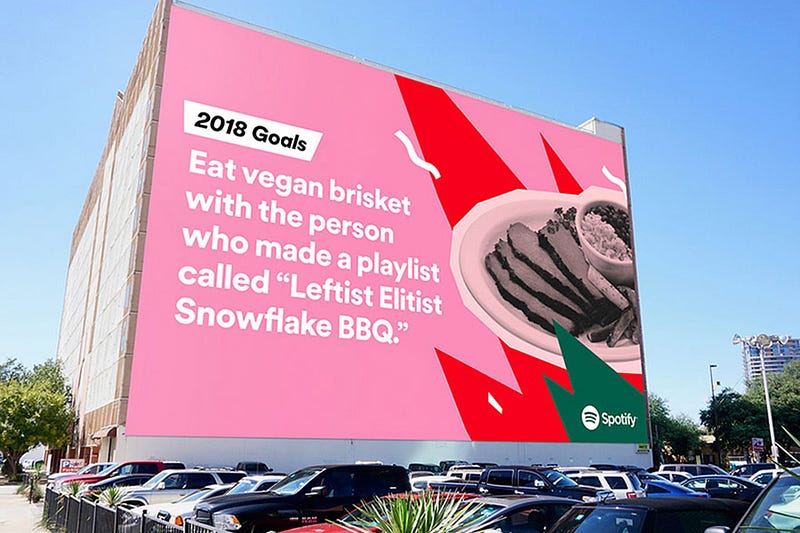
In 2016, Spotify made a splash with an ad campaign that drew on the inexplicable (or all-too-telling) activity of individuals who use the app. “Dear person who made a playlist called ‘One Night Stand With Jeb Bush Like He’s a Bond Girl in a European Casino’: We have so many questions,” read one billboard. Another, gracing the side of Manhattan’s Port Authority, where millions must have read it: “Dear person who played ‘Sorry’ 42 times on Valentine’s Day: What did you do?” Who knows if the anonymously burned parties ever saw the signs, but if so, they probably started investing in a vinyl collection.
Netflix followed suit this week, shaming streamers for a host of embarrassing behaviors. The company reported that someone in the U.K. had watched Bee Movie — the 2007 animated film starring Jerry Seinfeld, which has aged into canonical meme status — a whopping 357 times this year. Someone else watched the first Pirates of the Caribbean movie every single day. Netflix even somehow came up with a list of TV shows that “got us cheating,” i.e., watching ahead of our significant others. And over on Twitter, they mocked a small demographic clearly obsessed with the rom-com A Christmas Prince.
While the tweet appeared to have the intended effect — high engagement and people chuckling about the savage own — it also drew criticism from people creeped out by the close monitoring, as well as the implication that Netflix employees had made a sport of cherry-picking data.
While Spotify corporate has some creative distance from the musicians accessible on the platform, Netflix made and distributed this evidently shitty Christmas movie. Who are they to interrogate its fans? Shouldn’t they be happy to release a hit? And are we about to see McDonald’s put “a certain U.S. president” on blast for inhaling 600 Big Macs this year? It’s hard to think of a precedent for trolling-as-branding. True, the Twitter account for Wendy’s has gotten snarky now and then — but usually at rival restaurants or people who dissed them first. It’s totally different to slam the people who turn your profit. Then again, it squares perfectly with brands’ attempts to come off as just another witty social media friend. At this point, they’re even having conversations among themselves.
This tone reflects an understanding, in the social media departments of various media properties and food franchises, etc., that traditional promotional language is scorned by people who are online to goof around, get news, or share passions. Denny’s was one of the first to recognize this, amassing a following by adopting the surrealist style of Weird Twitter. But the flip side to this chill vibe is the casual put-down — the sort of ribbing that’s expected and fine between real friends but not altogether appropriate from Big Brother.
On balance, maybe we’d rather not have the receipts of our internet diet read back to us every December, and no website makes that clearer than Facebook. Whether it’s asking you to celebrate a “friendaversary” with someone you haven’t spoken to since a falling out or bumping a somber status on the death of a loved one via the “On This Day” feature, the social network can’t stop rehashing all the stuff we’d rather forget. (Facebook’s 2017 in review videos have been more depressing than usual, highlighting painful posts regarding sexual harassment, mass shootings and natural disasters.)
Aside from the idiocy of an app surfacing touchy old content it thinks will inspire nostalgia — or quirky stats that serve to humiliate unnamed losers — we’ve never needed tech to help us take stock of a year. The whole point of a memory is that the experiences with true impact will overshadow the granular noise of a daily routine. Things are supposed to slip through the cracks; we are not designed to retain it all, just as we are not meant to process the quantity and scale of human chaos that floods our brains when we log on in the morning. By guessing who we are through our patterns of consumption, Netflix and Spotify instead affirm that nobody is defined by what they binge or their guilty pleasures. It is no more truthful an assessment than the self-conscious one we offer when trying to impress a crush who asks what we’re into.
Given the choice, I’ll always prefer that slight dishonesty to the cruelty of an algorithm.
Images play a crucial role in the world of social media marketing. You’ve heard it time and time again: a post with visual content will garner more engagement than its text-based counterpart. But this poses a challenge: how do you share compelling images multiple times per day on a slew of platforms while maintaining an efficient workflow? It’s a tough thing to manage – especially when quality and cost come into play.
There isn’t one answer, but many. And as usual, the Internet comes to the rescue. Below we look at easy-to-use tools that you can work into your content strategy to create quality imagery while saving time and money. These are 16 of the best image resources we’ve found, and they have one vital thing in common: they make the life of a social marketer a whole lot easier.
Bonus: Download a free cheat sheet to quickly find the best image sizes for every social network and learn how you can use Hootsuite to easily add them to any post. Full service image creators
For a social marketer, the biggest value Canva provides is simplicity: create striking imagery by just dragging and dropping elements into place. No design experience? No problem. Plug text or photos into their ready-made layouts or produce something from scratch.Image via Canva
Much like Canva, BeFunky is a one-stop-shop for graphic creation and collages. Choose layouts based on function: social media headers, blogger resources and small business templates are among the options. Customizations come quick and easy with the company’s user-friendly interface. Design assets
For those who delve deeper into the design world, Creative Market has a massive catalog of ready-to-use fonts, templates, mockups and stock photos produced by incredible talents. With a vision in mind, finding what you need is a cinch, and even if your creative flow is running dry, Made with Creative Market has infinite inspiration. Not sure where to get started? Creative Market gives out six free products every week to start a collection of assets with.Image via Made with Creative Market Free stock photos
Unsplash has a model that’s hard to beat: “Free (do whatever you want) high-resolution photos.” The organization dishes out 10 stunning new photos every 10 days shot by photographers in their skilled community. Finding the right image to accompany a social post can be a challenge so Unsplash is gold for a social marketer. Under the Creative Commons Zero license, you can copy, alter, redistribute and even use their photos commercially. It’s the ultimate creative freedom.Image via Unsplash
Great photography sparks emotion. Emotion sells. End of story. A great photo can be the backbone of any social post, and Pexels is another valuable site with access to a growing database of free stock photos. At the moment, the company boasts more than 4,500 photos under the Creative Commons Zero license, and they’re adding at least 70 new images per week. Data visualization
It’s no question that including compelling data in your content strategy is an effective way of engaging your audience. Infogr.am is data visualization at its finest. The platform makes repackaging information a painless process. Though you can choose from a multitude of options and designs, from creating complex infographics to simple charts, the experience is far from overwhelming.
Creating an infographic from scratch doesn’t have to be an arduous task. If you’re up for the challenge, you can make your own using Easel.ly. Choose from a slew of ready-to-use templates or create your own. The real value is in the drag-and-drop interface and the ease of plugging in your own data. Photo editor/enhancer
Trying to remember the optimal image sizes for each social network is, quite frankly, a pain in the butt. Use Hootsuite Enhance, our new photo editing app, to ensure your images are cropped and sized perfectly for each social network. You can also use Enhance to make your images more exciting by adding filters, borders, stickers, text, or a watermark of your company’s logo. If you’ve run out of ideas or images to post, you can browse through a selection of stock photos in Enhance that are free for commercial use. And in true Hootsuite fashion, you can share images from Enhance straight to the social networks of your choice—including Facebook, Twitter, Instagram, and more—or schedule them for later using the Hootsuite mobile app.
The entire Pixlr suite includes a wide range of tools that come in handy for a social media manager—starting with the web-based photo editor, a free alternative to Photoshop. Pixlr Express functions much like Instagram in that you can apply different color effects to your images and adjust their strengths. It also includes creative overlays, stickers and the ability to add text. Pixlr’s collection of web-based apps helps beautify your images.
Editing and enhancing photos on the go is a snap (pun intended) using the Snapseed mobile app. You don’t have to be seasoned in complicated photo editing software to easily understand how it works. Swipe up, down, left and right to create your desired effect. Your smartphone can be a powerful tool for generating original content for your social pages.
Over is a powerful tool that goes far beyond just adding text to images—though that’s how it’s best known to the market. Even choosing from preset social dimensions just scratches the surface of the app’s features. With a recent update, it now allows for blending, taking color samples, adding image overlays, and offers striking ready-made artwork. A new integration with Unsplash, the free stock photo site also mentioned on this list, means Over is a graphic creations powerhouse.
Phonto, the app that allows you to add creative text to images, is a minute-marketer’s dream: import image, add text, style it and share. Of course, the real art is selecting the right font and impeccably placing your design. The best part? Phonto won’t cost you a dime. Visual quotes
Time is on your side with Recite, an effortless solution for creating images from quotes. Sharing quotes is often an effective method for garnering engagement on social. Boasting a straightforward user experience, the process has been stripped down to its core. Just type your quote into the text box, choose from a handful of templates below it, click ‘Create’ and bam! Download or share straight to one of your social pages.
Optimizing image dimensions for each social channel can be a hassle: it’s time consuming and you have no choice but to keep up with social image specs that are constantly being modified. Autre Planete’s Social Media Image Maker is a convenient resource for cropping photos or graphics to the right size.
Bonus: Download a free cheat sheet to quickly find the best image sizes for every social network and learn how you can use Hootsuite to easily add them to any post. Annotations
Annotate much? If so, Skitch might be for you. An Evernote product, Skitch provides all the tools necessary to add visual commentary to any image. Use arrows, text, stickers and a handful of other tools to get your message across on a screenshot or any image of choice. It’s a helpful app for support or community teams that have to answer complicated technical user questions.Image via Evernote Mockups
Mockups galore! Sometimes you just need an image of your website or app and a screenshot just won’t cut it. Place It offers a wide variety of mockups to showcase the image of your choosing. Upload it right into a template and voila! Download a free low-res version or buy it in a higher resolution.
Ernest Hemingway once said, “There is nothing to writing. All you do is sit down at a typewriter and bleed.”
Okay. As a social media marketer, there’s a good chance you aren’t penning from a typewriter. We also hope that wherever you do pen from, it’s blood free.
Even so, you get the point. Writing is hard.
Writing is also a skill that social marketers need to have. Social media posts, after all, have a pesky habit of not writing themselves.
The good news? There is now a whole army of online writing tools out there to make your life easier. We’ve compiled eight of our favorites below.
Good for: Strengthening prose by eliminating unnecessary language. Cost: $19.99 for desktop; free online
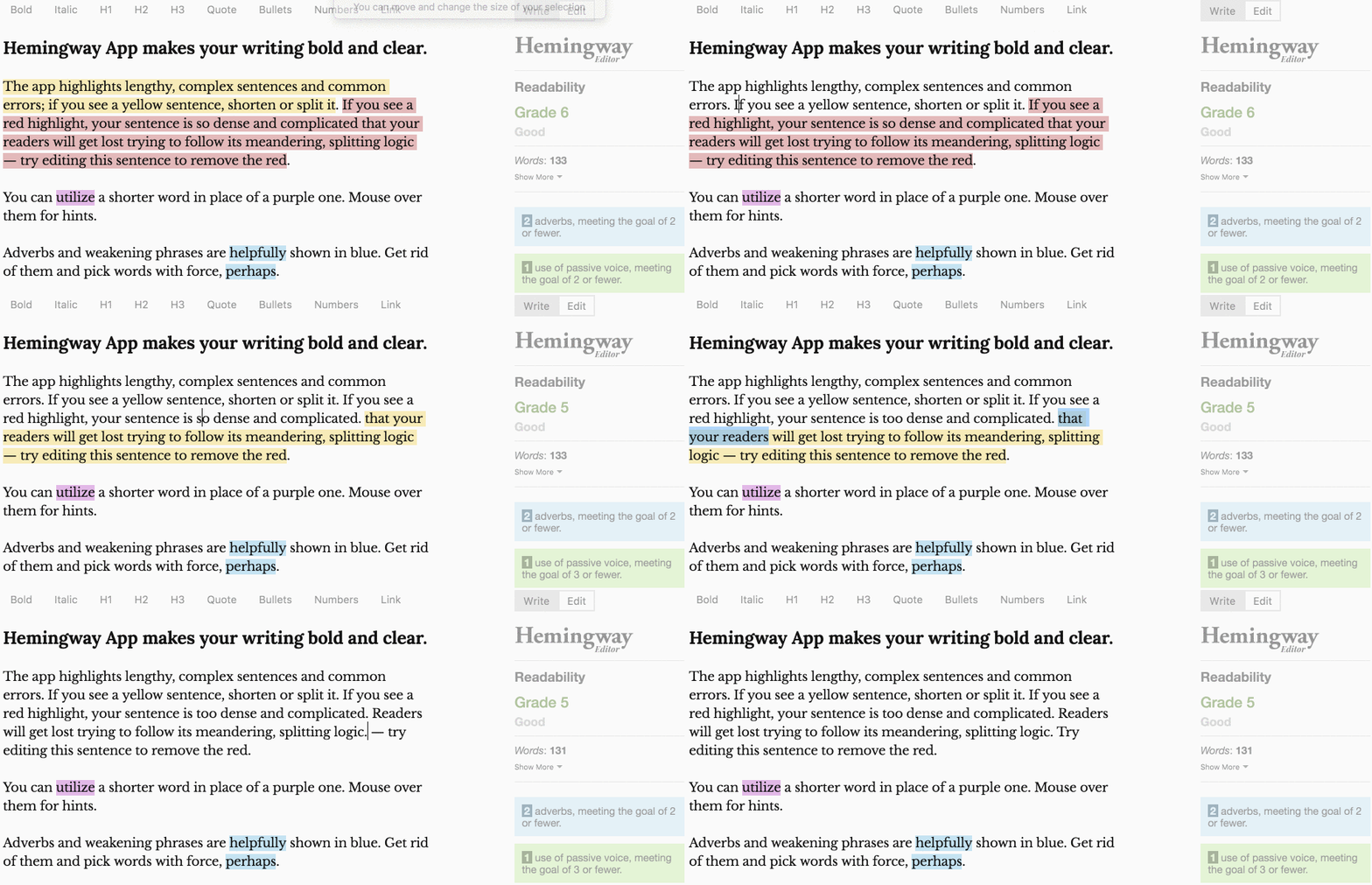
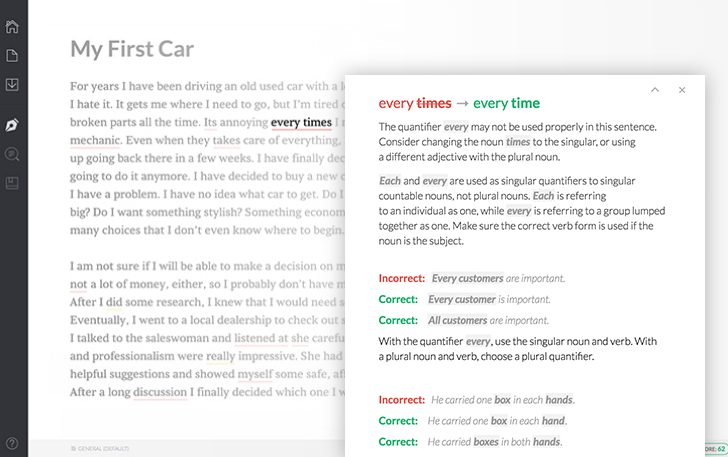
The Hemingway Editor strengthens your writing by highlighting sentences that will likely lose your readers. The tool also highlights complex words, adverbs, and instances of passive voice and give hints for alternatives.
To use it, simply paste your text into the online editor. It’ll review your writing and generate recommendations for improvement.
Good for: Comparing words and phrases to see which option is more common (and likely accurate) Cost: Free
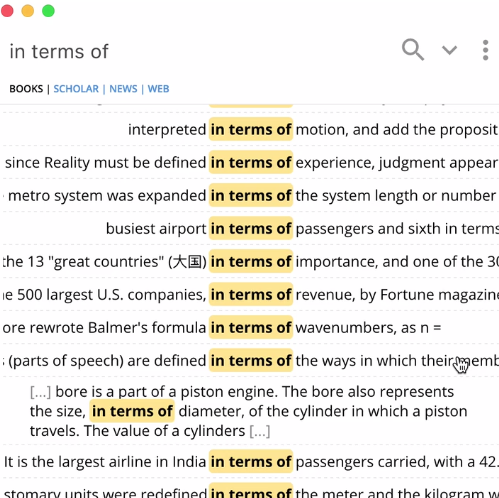
The Writefull extension draws from large language databases (like Google Books and Google Web) to search for the frequency of phrases of text. Writefull can be activated in any writing tools (like Word or Outlook) and is super easy to use.
After downloading the plug-in, highlight the chunk of text you want to check (from whatever writing tool you’re using) and activate the Writefull pop-up by clicking CTRL + SPACE and pick the database you want to pull your results from.
Writefull is handy for:
Checking how often a portion of text appears in a database—the higher the number the better the odds are that it’s written correctly.
Comparing two chunks of writing to see which is more common in the database.
Seeing words in context—quickly see the most appropriate adjectives or prepositions to use in a phrase of text.
Getting synonyms in context—helpful if you find yourself using the same words repeatedly.
Good for: Generating caption ideas for Instagram and Snapchat Cost: $0.99 per download from the App Store.
Coming up with clever Snapchat and Instagram captions can be tough, especially when you’re posting a lot of photos and generally pressed for time. Enter Captiona, an app that generates captions for Instagram and Snapchat posts.
Optimized for iPhones and iPads, The app is essentially a search engine for social media captions that produces ideas based on keywords associated with your photo or video content.
After entering in those keywords, Captiona comes up with a bank of captions that you can pick and choose from. While some are quite generic, many are surprisingly clever.
Staying focused on writing while at work can be a challenge. Especially with all the team chat pings and chatting colleagues buzzing around to distract you at any moment.
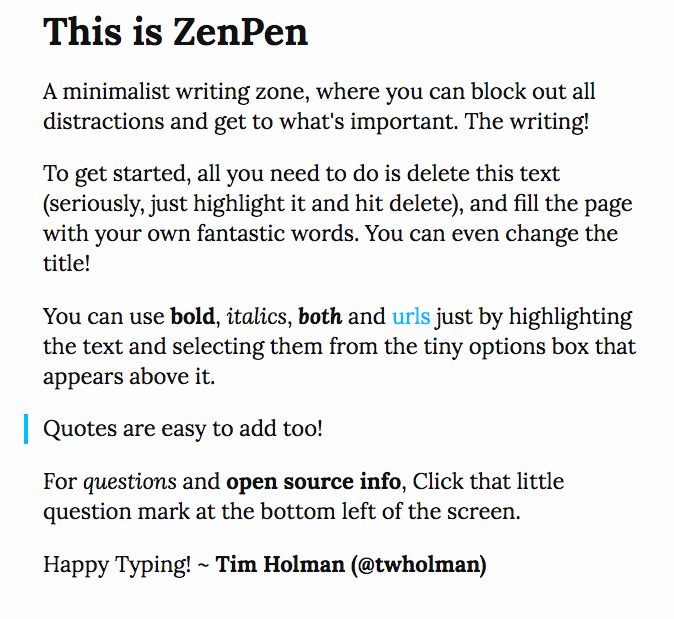
ZenPen helps you block out all those distractions with a minimalist writing zone. The full-screen enabled site offers a handy word count feature and drafts can even be downloaded for safe-keeping.
Good for: Sourcing alternative words to add more variety to your writing Cost: Free online
Stuck for a new way to say the same thing? Power Thesaurus could be your best word-hunting friend yet.
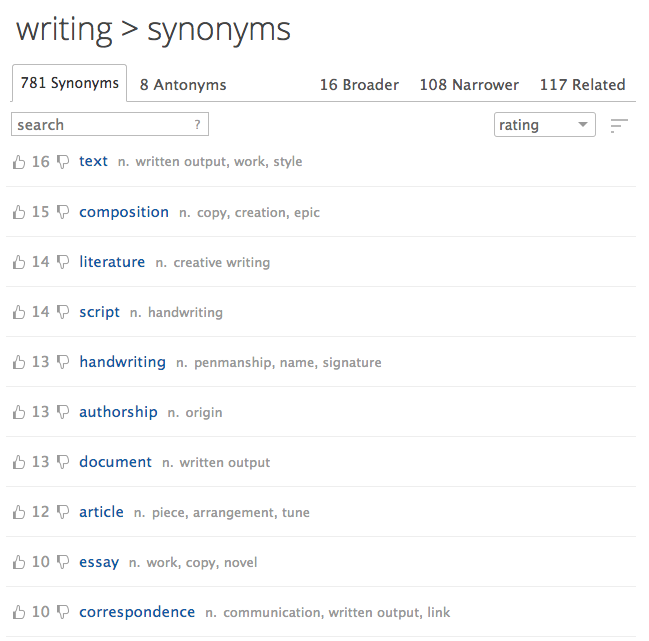
Not your average thesaurus, Power Thesaurus is a crowdfunded tool that generates synonyms from a large community of writers. All suggestions are based on the actual work of the community and are rated and ranked by members.
Good for: Granular grammar and spelling review Cost: Free online
Grammatical and spelling errors happen, especially when you’re rushed to get your social posts published. These sorts of errors can be pretty funny when published from personal accounts. For brands, however, errors in social media posts can negatively impact your reputation.
Grammarly promises to keep your social posts on point, flagging everything from contextual spelling errors to poor word choices. And the tool integrates with lots of online platforms including Twitter, Gmail, and Tumblr.
Good for: Spelling and grammar check Cost: $29.95/year for unlimited scans (first 10 scans are free)
Correctica is another helpful grammar check tool. While Correctica’s primary function is to scan website content for errors, they also offer personalized content reviews.
To take advantage of the service you need to email your documents to Correctica and they promise the return of proofed copy within minutes.
Good for: In-depth evaluation of your writing Cost: Free online; premium desktop contracts ranges from $40 to $140
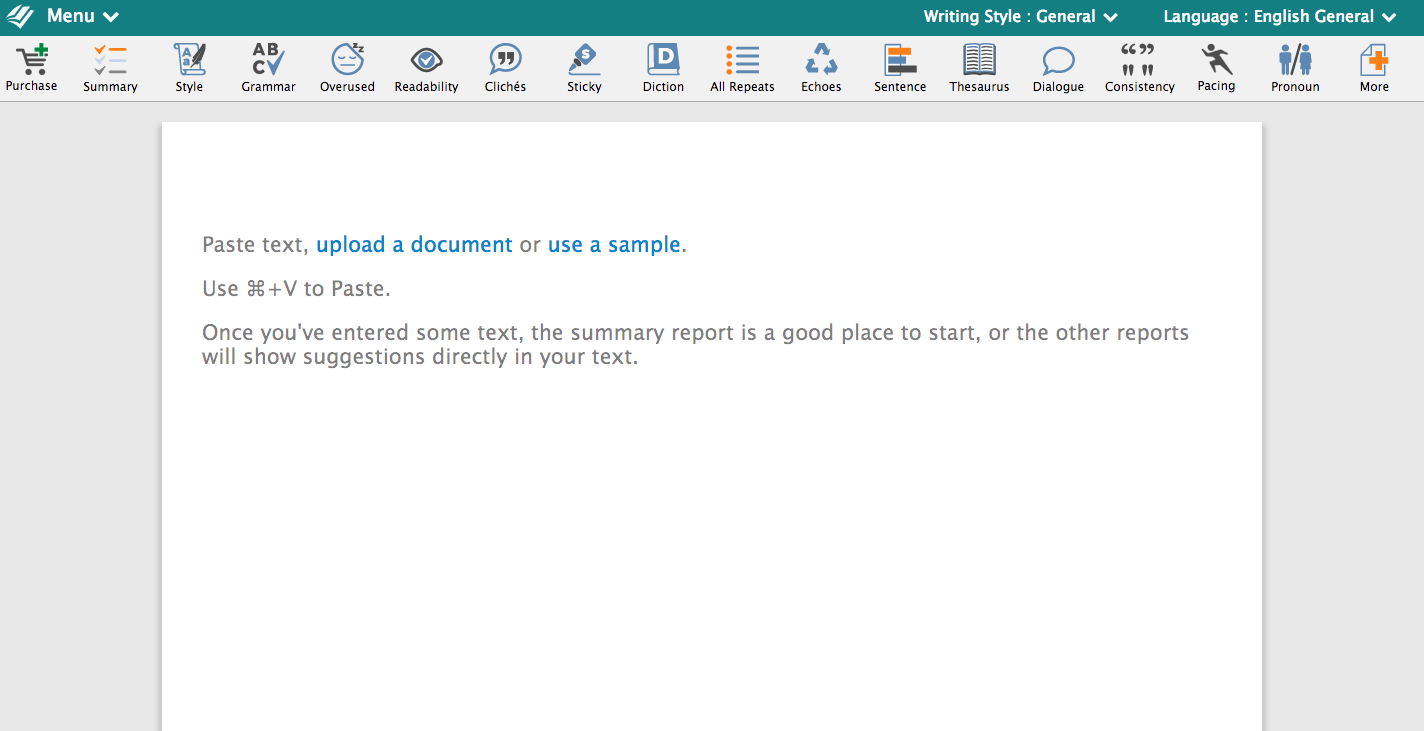
Like the Hemmingway App, ProWritingAid is another handy writing evaluation tool. Available in desktop and a free online version, the tool flags redundancies, lengthy sentences, and clichés. It also checks for plagiarism.
While the free version is very functional, it is limited to 3,000 words per review. Something to keep in mind if your content team plans to use the tool for more than reviewing short social media posts.
Facebook advertising is a big and growing business: companiesspent more than $9 billionon Facebook ads in the second quarter of 2017 alone. That’s an increase of 47 percent (Nearly $3 billion) from the same period in 2016.
At last count, more than two billion people were using Facebook. And those users are highly engaged with the content posted on the network: More than 800 million people like something on Facebook every single day.
Of course, when it comes to getting the biggest bang for your advertising buck, too large an audience can actually be a bad thing. After all, you only want to pay to expose your brand to people who might be interested in doing business with you. Fortunately, Facebook offers multiple layers of targeting, so you can focus your Facebook ads on exactly the right audience for your business to maximize ROI.
We’ll get into the specifics of targeting Facebook ads later on in this post, but for now keep in mind that Facebook’s huge, global audience combined with the ability to target your ad by demographics, location, interests, and behaviors allows you to access the exact people who are most likely to want to buy your products or services.
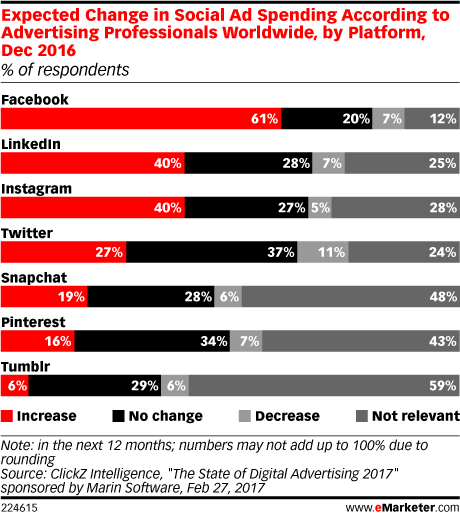
With your competitors already seeing meaningful results from Facebook ads and increasing their spend, it’s high time to develop a Facebook advertising strategy of your own.
Types of Facebook ads
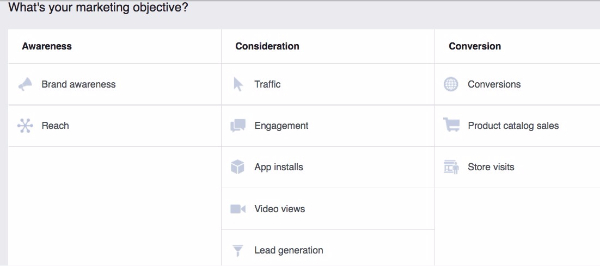
Facebook offers 10 campaign objectives based on what you want your ad to accomplish. For each of those objectives, you can choose various ad formats based on your chosen goal and target audience.
Before we dig into some specific Facebook ad examples and the technical requirements for each format, let’s take a quick look at how the different types of Facebook campaigns align with business goals:
App installs: Encourage installations of your mobile or desktop app.
Brand awareness: Introduce your brand to a new audience.
Conversions: Get people to take a specific action on your website (like subscribe to your list or buy your product).
Engagement: Expose a post to a wide audience to increase the number of Likes, comments, shares, or photo views; increase your number of Page Likes; promote an event.
Lead generation: Get new prospects into your sales funnel.
Reach: Expose your ad to as many people in your audience as possible.
Product catalog sales: Connect your Facebook ads to your product catalog to show people ads for the products they are most likely to want to buy
Store visits: Drive customers to brick-and-mortar stores.
Traffic: Drive traffic to a specific webpage.
Video views: Show your video to a large audience to increase brand awareness.
This video provides more details about the campaign objectives.
Facebook ads: Guidelines and examples
Now that you understand the various Facebook campaign objectives, let’s explore the various Facebook advertising formats.
Photo Facebook ads
Facebook ad specs: One image plus text
Campaign types: All except video views
Facebook ad image sizes: 1200 x 628 pixels
Text limit: 90 characters
Headline text limit: 25 characters
Note: Since Facebook doesn’t want people’s newsfeeds to be filled with text-heavy images screaming for attention, you need to keep your text overlays to less than 20 percent of your image. (This also applies to video thumbnails.) In fact, the less text there is on your image, the more widely it will be distributed. Use this tool by Facebook to check if your images contain less than 20 percent text.
Simple photo ads don’t have to be boring. Dallas bookstore The Wild Detectives used photos ads with clickbait-style headlines to trick people into reading classic literature.
Facebook ad image sizes (thumbnail): Minimum width 600 pixels; match length to video aspect ratio
Text limit: 90 characters
Headline text limit: 25 characters
Facebook ad dimensions: Video aspect ratio of 16:9 (full landscape) or 1:1 (square) for all objectives; other aspect ratios available for specific campaign types
Maximum video length: 120 minutes
Video ads can create massive engagement—if they’re done right. A video about bread could be, well, a little boring. Not this one! At the time of writing, this Facebook video ad for Dave’s Killer Bread had more than 2,500 shares and more than 1,200 comments.
Slideshow Facebook ads
Facebook ad specs: A video automatically created from up to 10 still images
Campaign types: All except post engagement and product catalog sales
Facebook ad image sizes: 1280 x 720 pixels
Text limit: 90 characters
Activewear company Carbon38 found that compared to Facebook photo ads, Slideshow ads saw an 85 percent increase in return on ad spend and had a 40 percent higher click-through rate.
Facebook Carousel ads
Facebook ad specs: Up to 10 photos or videos plus text
Campaign types: All except post engagement and product catalog sales
Facebook ad image sizes: 600 x 600 pixels
Text limit: 90 characters
Headline text limit: 40 characters (for images) or 25 characters (for video)
Maximum video length: Two minutes combined
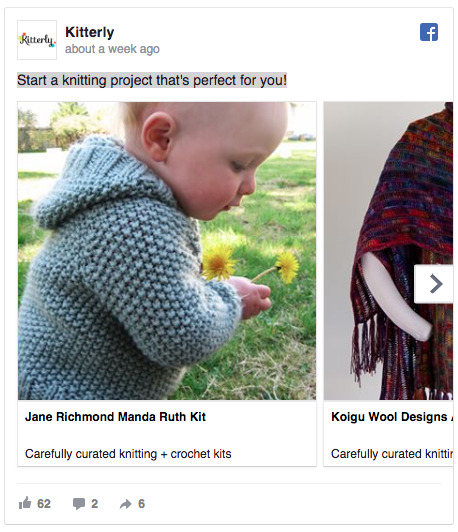
The knitting and crochet supply site Kitterly uses Carousel ads to retarget potential customers with products they have already viewed on the Kitterly website, resulting in a 3.4 times return on ad spend.
Facebook Collection ads
Facebook ad specs: A mobile-only ad format that showcases multiple products or features
Campaign types: Conversions, traffic
Facebook ad image sizes: 1200 x 628 pixels
Facebook ad dimensions: Video aspect ratio of 16:9 (full landscape) or 1:1 (square)
Headline text limit: 25 characters
Maximum video length: 120 minutes
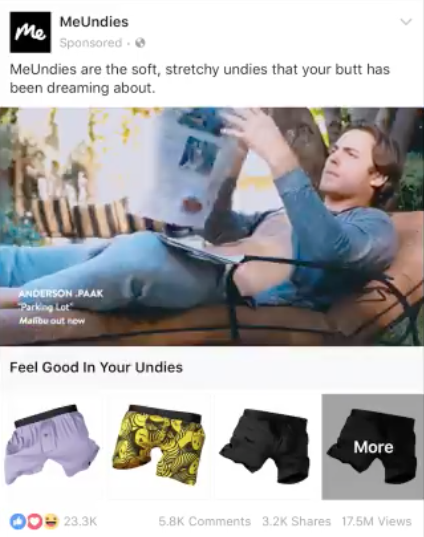
When MeUndies launched a Collection ad, it increased its conversion rate by 40 percent.
Facebook Canvas ads
Facebook ad specs: An immersive ad format incorporating text, up to 20 photos, and video
If you already have a Facebook business page (and you should), you can head straight to the Facebook Ads Manager to create your Facebook ad campaign. If you don’t yet have a business page, you’ll need to create one first.
Step 1: Choose your campaign objective
Choose your campaign objective based on the most important metrics for your business and your goals for this particular ad.
Keep in mind that for conversion-oriented objectives you can pay per action, but for exposure objectives you will pay for impressions.
Step 2: Target your audience
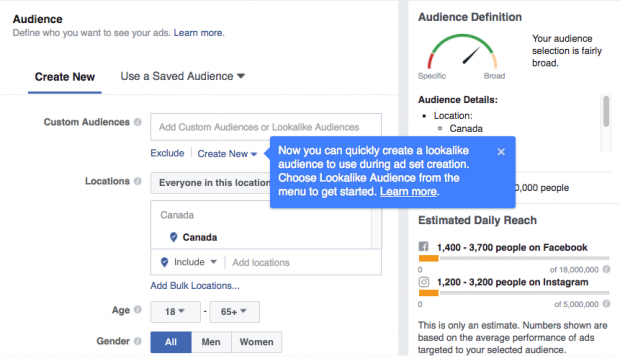
Remember: Effective targeting is key to maximizing ROI—and there’s no shortage of ways to target your audience on Facebook. In addition to targeting by location, gender, and online behaviors, you can hone your audience based on the following:
Connections: You can target people who are either connected or not connected to your Facebook Page. If you want to reach a new audience, under Detailed Targeting, choose select “Exclude people who like your Page.” If you want to promote an offer or new product, select “People who like your Facebook Page” to reach people who already know your brand.
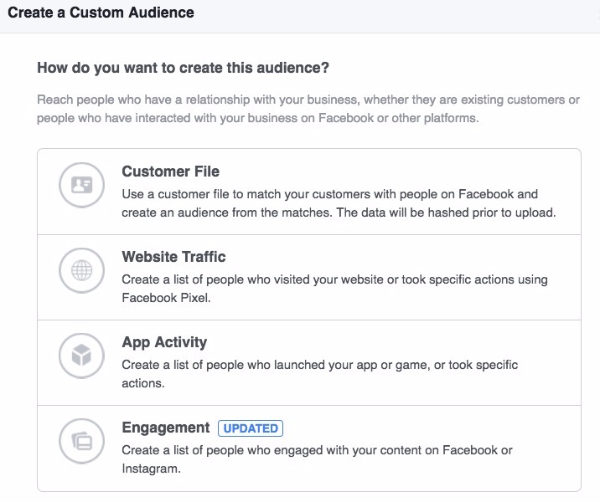
Custom Audiences: You can build your own audience of people who have already interacted with your business on or off Facebook. Facebook has a good step-by-step guide on how to do this.
Lookalike Audiences: This lets you target people who are similar to your existing most valuable audiences. Here’s how to set-up a Lookalike Audience.
For advanced Facebook ads audience research and targeting tactics, check out this video:
As you make your selections, keep an eye on the meter on the right side of the page, which indicates the breadth of your audience selection, and the estimated daily reach chart.
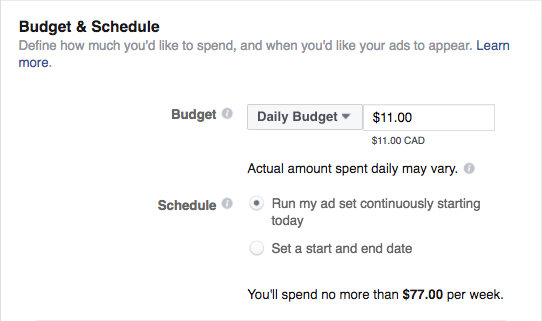
Step 3: Set your budget and schedule
Next, you decide how much money you want to spend on your Facebook ad. You can choose a daily or lifetime budget, then set the start and end dates if you want to schedule your ad in the future, or choose to place it live right away.
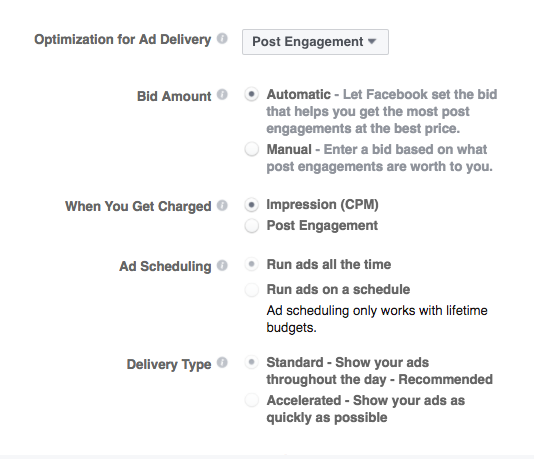
You can get into pretty fine detail about how you want to spend your money using the advanced budget options.
Keep in mind that running your ad on a schedule may be the most efficient way to spend your ad budget, since you can choose only to serve your ad when your target audience is most likely to be on Facebook.
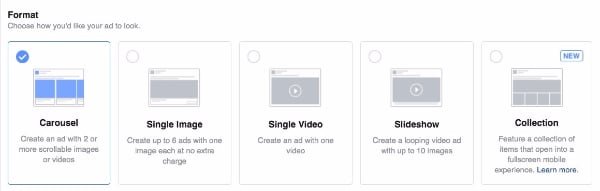
Step 4: Create your Facebook ads
One option is to promote an existing post. If you would prefer instead to create a new ad, first choose your ad format, then enter the text and media components for your ad. Making sure you conform to the Facebook ad image sizes mentioned above for each format.
Use the preview tool at the bottom of the page to make sure your ad looks good for all potential placements (mobile, desktop news feed, right column, and so on). When you’re happy with your choices, click the green Confirm button to submit your order, then wait to get an email from Facebook notifying you that your ad has been approved.
Bonus:Download a free guide that teaches you how to turn Facebook traffic into sales in four simple steps using Hootsuite.
Facebook advertising tools
Hootsuite Ads
Rather than placing each ad manually, with Hootsuite Ads, you can create and test hundreds of ads in minutes, automatically boost budgets based on performance triggers, and control who can create and edit campaigns.
You can also choose organic posts to promote directly within the Hootsuite dashboard, so you can extend the reach of your best-performing content.
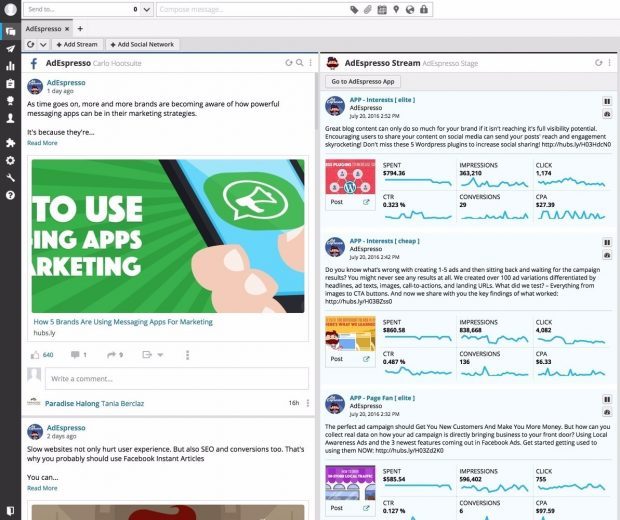
AdEspresso
While Hootsuite Ads is an enterprise-grade solution, AdEspresso by Hootsuite is a self-serve social ad management solution designed specifically for small and mid-sized organizations. It also allows you to create ads and monitor the results directly from the Hootsuite dashboard.
Facebook ads best practices
Keep these important strategies in mind to make the most of your Facebook advertising efforts.
Experiment with audience targeting
Start with a narrow audience and then broaden it slowly by adding one interest category at a time. For example, you could start with an audience specifically interested in “Napa Valley wine tours” and then broaden after a few weeks, adding “wine tasting,” “food and wine,” and so on. That way, you’ll have a good idea of what’s moving the needle.
If you have a local business, you can target your audience by zip or postal code. This is also helpful if you know a particular city or neighborhood converts well.
PRO TIP: Mikie Basi, a digital marketing strategist at Hootsuite, offers this advice: “Always test different types of targeting to find the best audience for your products. Experiment with interest categories, friends of followers, and website audience lookalikes. Run them in separate ad sets to determine which is the top performer.”
Rotate your ads regularly
“Ad fatigue”—or reduced engagement—can occur when people see the same ad too many times. Rather than bombarding your audience with the same ad over and over, switch it up so they are exposed to different elements of your brand offering. Facebook recommends switching your ad once every one to two weeks.
Test everything
Facebook ads are a perfect venue for learning what resonates best with your audience, from ad format to image style to hashtags to length of copy and tone of voice. Since testing is such an important topic, we’ve got a whole guide on how to do it.
Use a Facebook Pixel
A Facebook pixel is a small piece of code that can have a big impact on your Facebook advertising campaigns. Once you place the code on your website, it will allow you to track conversions, remarket to people who have viewed a product on your website, and create lookalike audiences.
You know what the goal of your Facebook ad is—but do your viewers? Including a call to action (CTA) ensures that the people who see your ad understand what the next step is in developing a relationship with your company. Check out our guide on how to create effective CTAs.
Use top-notch photos and video
You know what’s a turnoff? Blurry photos. Or pixelated photos. Or jumpy videos that make you feel motion sick. Your words are important, sure, but your visuals are what will first grab viewers’ attention and create the first impression.
Make sure you comply with the Facebook ad image sizes for each format, specified above, for the best results. These free stock photo websites can help you source high-quality images to use in your ads. If you sell a product, Facebook recommends that you try using photos showing people using and benefitting from your product, rather than an image of the product all by its lonesome.
Facebook advertising campaign ideas
Raring to go but not sure what you should promote with your Facebook ads? We’ve put together three campaign strategies to get your started.
Facebook advertising strategy 1: Collect an email
Unless you’re a marketing magician, it’s pretty hard to get people to buy from you the first time you wave to them in a Facebook ad.
For products that take longer to sell, email is your best friend. Facebook makes it pretty simple to collect new email leads. With software such as MailChimp, you can send out automatic emails (say, one email every few days). This helps you build trust and introduce people to your brand before you pitch your product.
STEP 1: In Facebook Ads Manager, choose “Lead Generation” as your campaign objective.
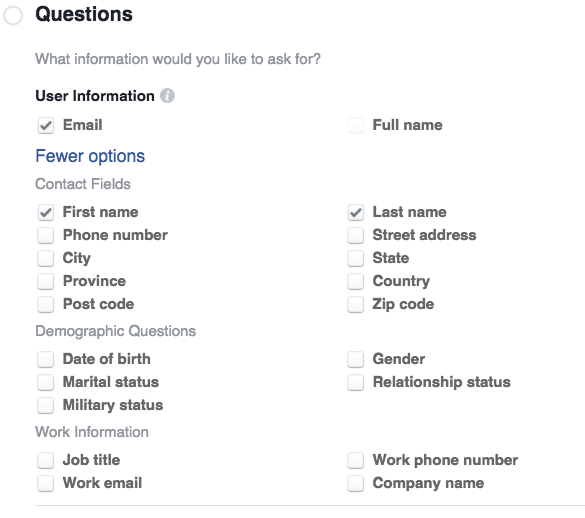
STEP 2: When you create your lead form, choose fields that align with the fields on your email list. Keep it simple: first name, last name, and email address.
STEP 3: Use the tool Zapier to automatically send email sign-ups from your Facebook campaigns to your email provider, such as MailChimp. You’ll need to sign up for a Zapier account and connect Facebook to Zapier. Here’s a step-by-step guide for MailChimp users.
STEP 4: Do a quick test to make sure data is passing between Facebook and MailChimp.
STEP 5: Launch your ad campaign and watch the emails come rolling in. If you want to get more sophisticated, you can set up a custom automated email sequence in your email provider for Facebook leads. Below is a quick email strategy to use. You can sequence these emails a few days apart:
Automated Email No. 1—Share something really valuable that connects to the problem your product solves (example: a food truck could share a map of all the best restaurants in the city). No product pitch. Just value. You’re training prospects to open your emails.
Automated Email No. 2—Tell an interesting story that connects to your product. For example, the food truck could talk about how they couldn’t find a good Pho/Italian fusion restaurant and so quit their corporate jobs and created their food truck, Pho Get About It.
Automated Email No. 3—Share another valuable resource (such as five mistakes people make when cooking spicy chicken at home). No product pitch.
Automated Email No. 4—Make an offer such as a discount for their first visit.
Automated Email No. 5—Make the same offer again but tell an interesting and useful story as the lead.
The goal is always the same: train people to open your emails by offering valuable content and then make the occasional product pitch.
The Milwaukee Bucks NBA team used this strategy to boost its season ticket sales. The team ran lead ads targeted to Custom Audiences of past season ticket holders, fans of their Facebook Page, and other existing leads.
They also used lookalike audiences modeled on current season ticket holders, while excluding current ticket holders so they would not waste ad exposure on people who had already purchased their tickets.
Finally, they used interest targeting (sports fans) and location targeting to make sure people who saw the ads would be interested in the team and able to make it to the games if they bought tickets.
The collected leads went directly into the team’s CRM and kicked off a series of emails. After the email series, sales reps followed up in person with those who had not bought tickets.
The results? The team saw a 25 percent higher email open rate than usual and more than double their usual email click-through rate, with 33 percent of leads buying the advertised ticket packages and 20 buying upgraded tickets.
Facebook advertising strategy 2: Convert a proven piece of content into a video ad
Every brand has a few killer pieces of content that drive the lion’s share of traffic each month. Adapting that content into a short video aimed at Facebook audiences can be a great way to repackage top content for Facebook ads.
STEP 1: Distill the key ideas from your content piece into a few key points you can express in a few words each, or think about ways to convey the same key messages through your visuals. Make sure your call to action matches your video content.
PRO TIP: What types of videos work best on Facebook? How can you take someone from a video view to a lead or sale? We created a video strategy kit for marketers, showing what types of videos work best on social media and what to measure.
Facebook advertising strategy 3: Drive a direct sale
If you have a good product, there’s no reason why Facebook can’t generate direct sales. But when asking for a direct sale, you need trust—so if you’re an unknown brand with an untested product, it’s probably best to test the first two Facebook advertising strategies first.
If you’re confident that people will buy your product directly from a Facebook ad and you have a proven product with sales, test this strategy and be sue to measure your results.
STEP 1: In Facebook Ads Manager, select “Conversions” as your campaign objective.
STEP 2: Next, Facebook will ask you which type of conversion event you want to track, such as adding products to a shopping cart or adding payment information. Since you’re trying to drive a direct sale, select “Purchase.” You’ll need to install a Facebook Pixel to track a visitor from your Facebook ad all the way through your shopping cart process to purchase.
STEP 3: Create your ad with simple and clear copy. What do you offer and how is it different? Give people a reason to buy from this specific ad. For example, maybe you bundle another product as a freebie, or include a training webinar. You want people to stop what they are doing and click from your ad to your shopping cart.
STEP 4: Wait and track. Give your campaign at least two weeks before making any changes to copy or creative. Depending on your traffic volume, this should give you enough data to make an educated decision about what’s working, or what changes you might want to test.
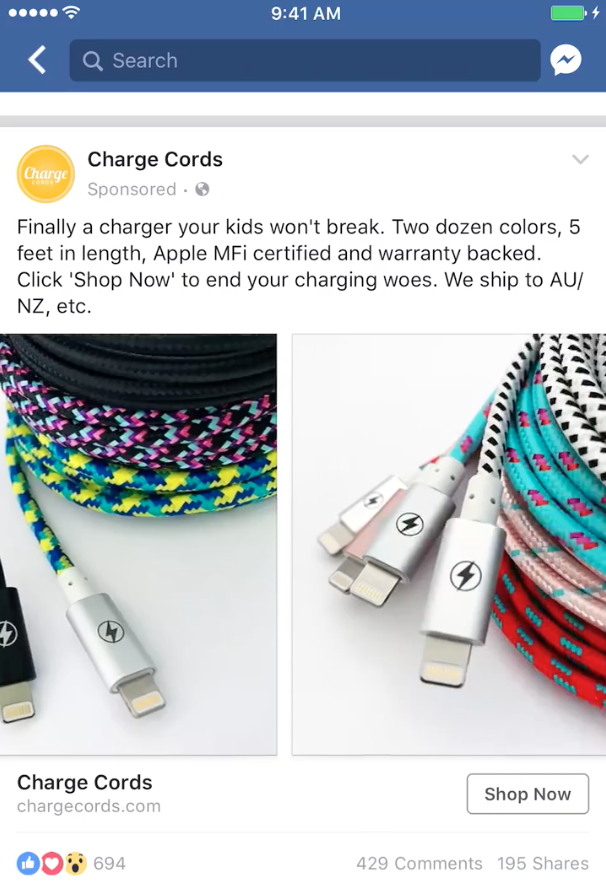
Charge Cords used Facebook ads to drive direct sales from new customers, using Custom Audiences to exclude people who had already bought from them in the last six months. They used Carousel ads with eye-catching product shots and compelling ad copy, along with a Shop Now call-to-action button. As the campaign continued, they updated the Custom Audience to target people who had visited the Charge Cords website.
The campaign resulted in a four times increase in sales from the targeted countries, and a four times return on ad spend.
PRO TIP: With remarketing, you can serve Facebook ads to people who have already visited your website. Your ads could include enticing offers, product recommendations, or funny reminders to complete their purchase. We cover remarketing with the Facebook pixel in our blog post on surprising ways to optimize your Facebook ads.
 Spotify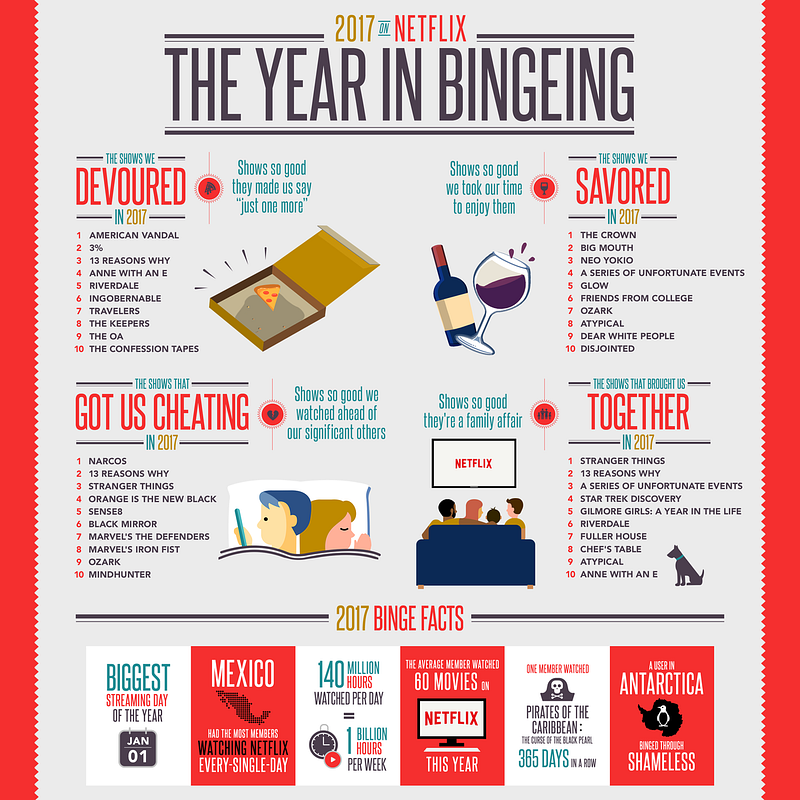
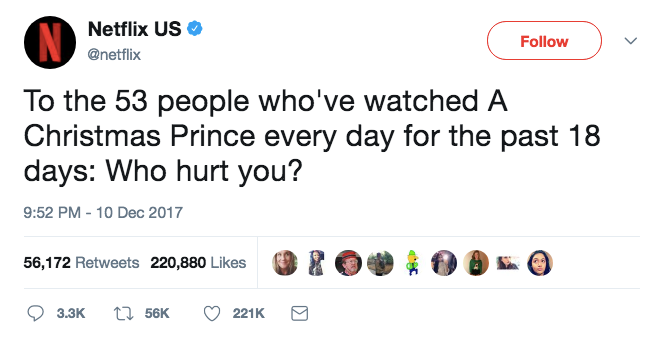
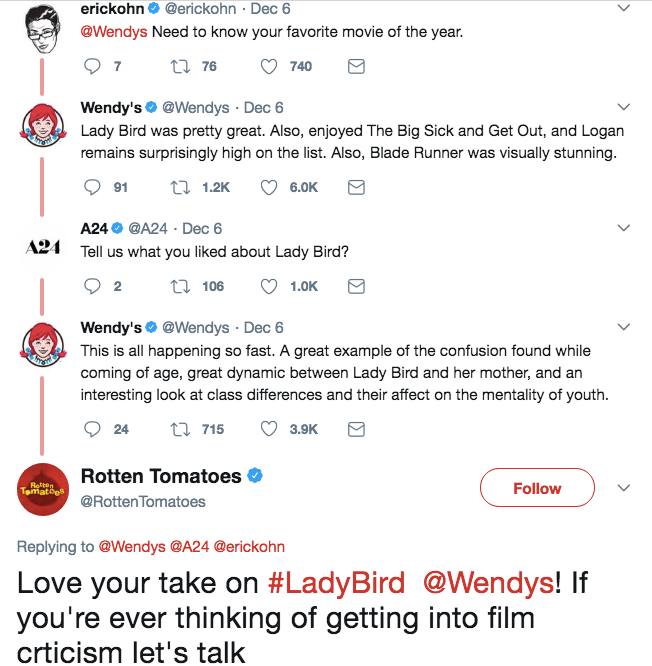

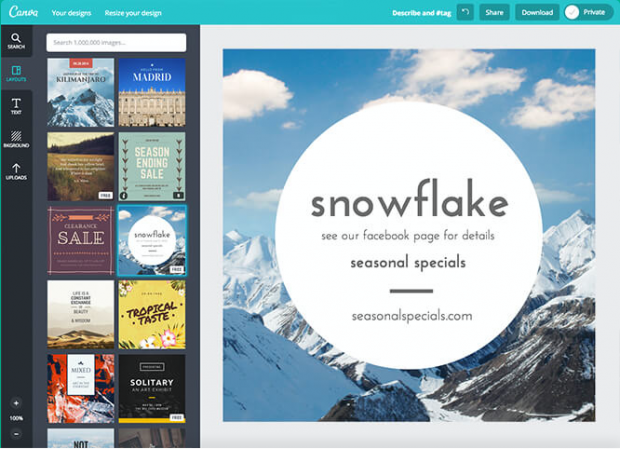 Image via
 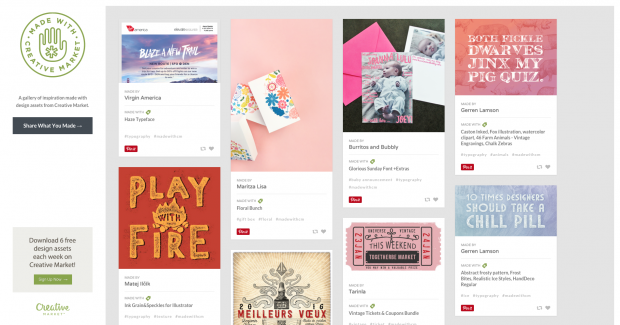 Image via
 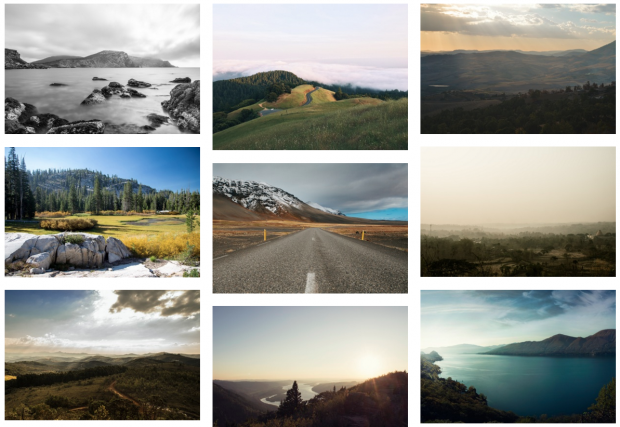 Image via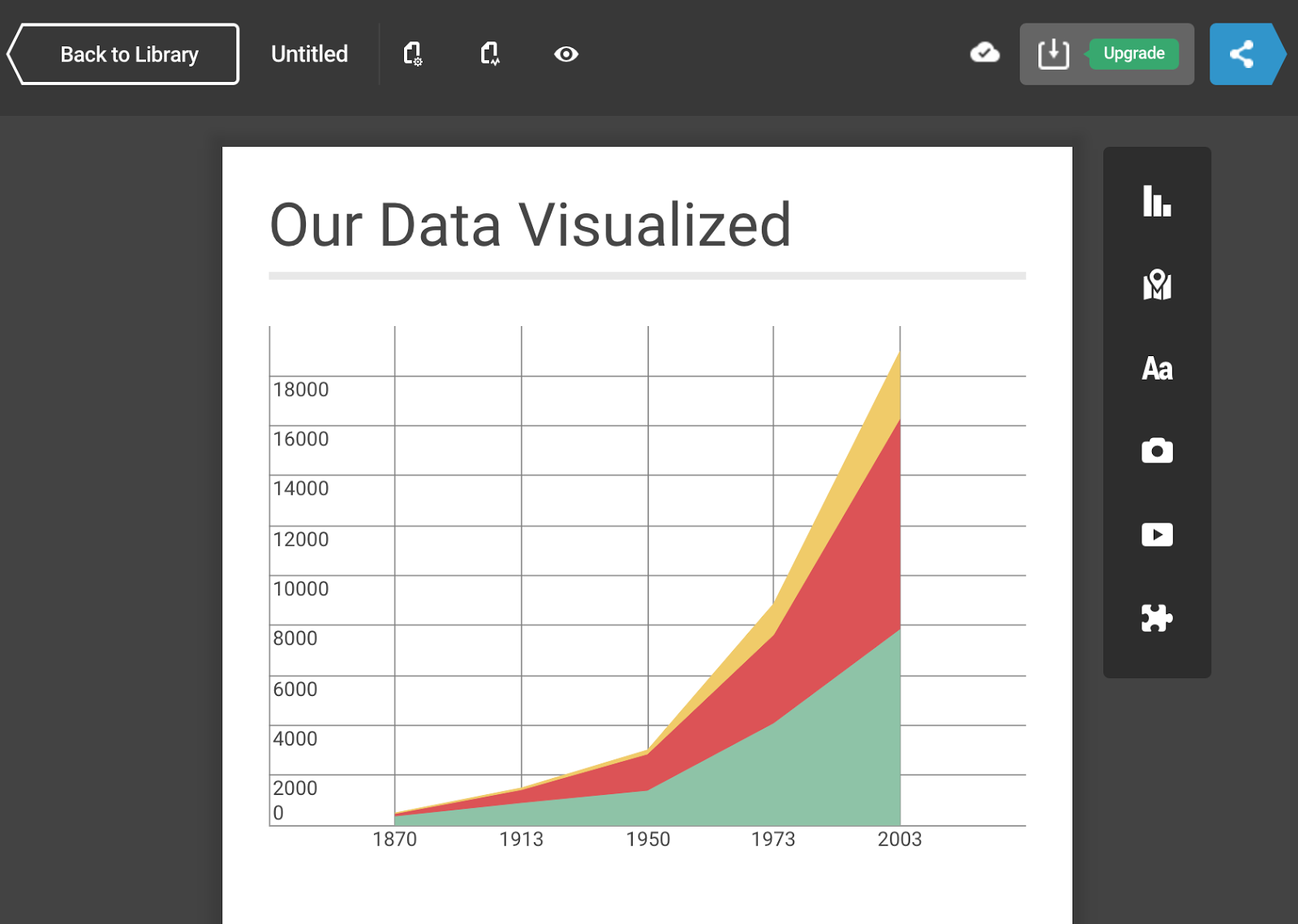
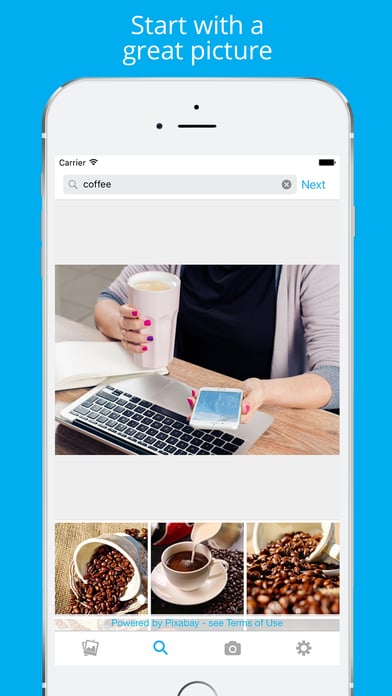
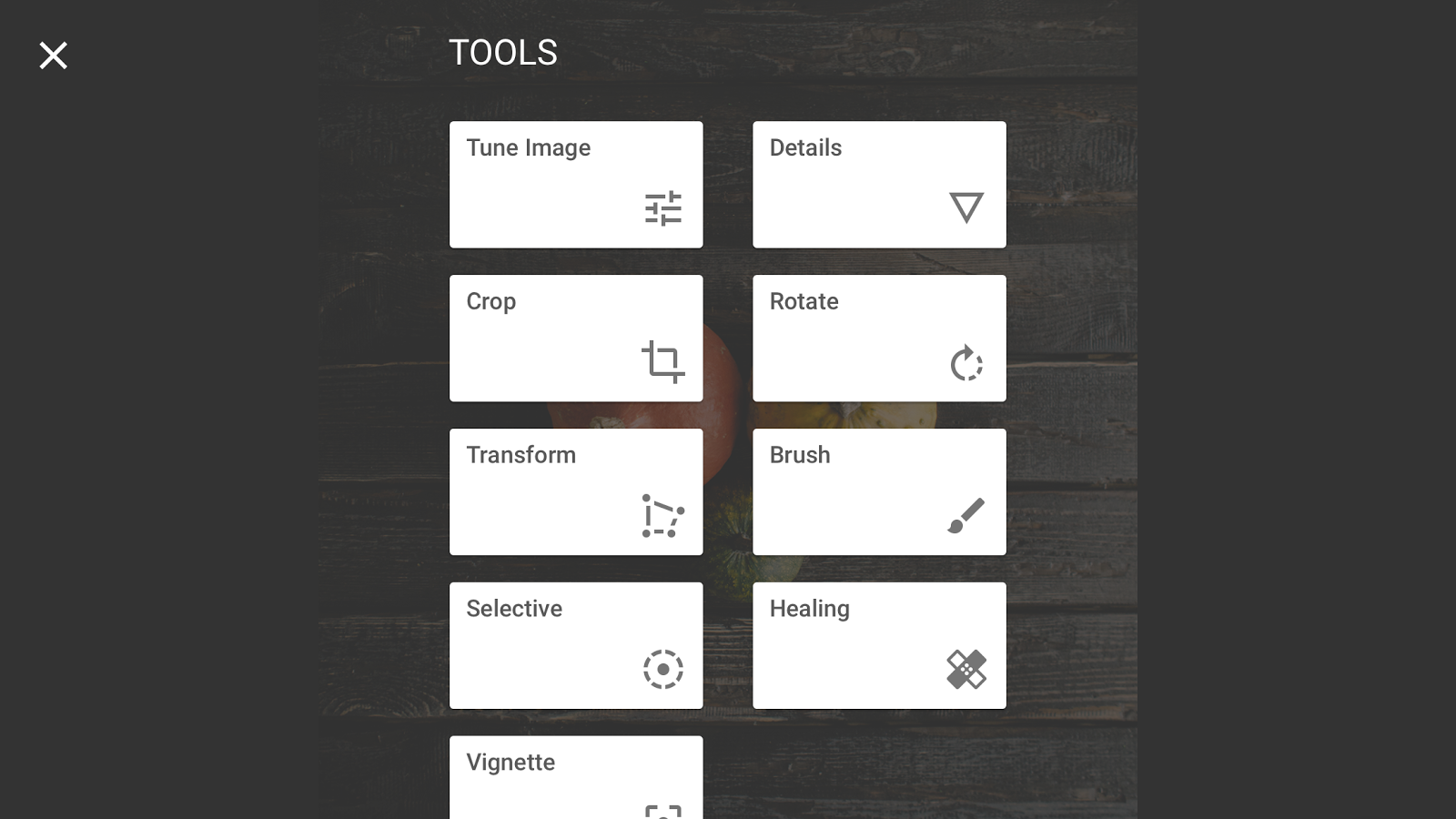
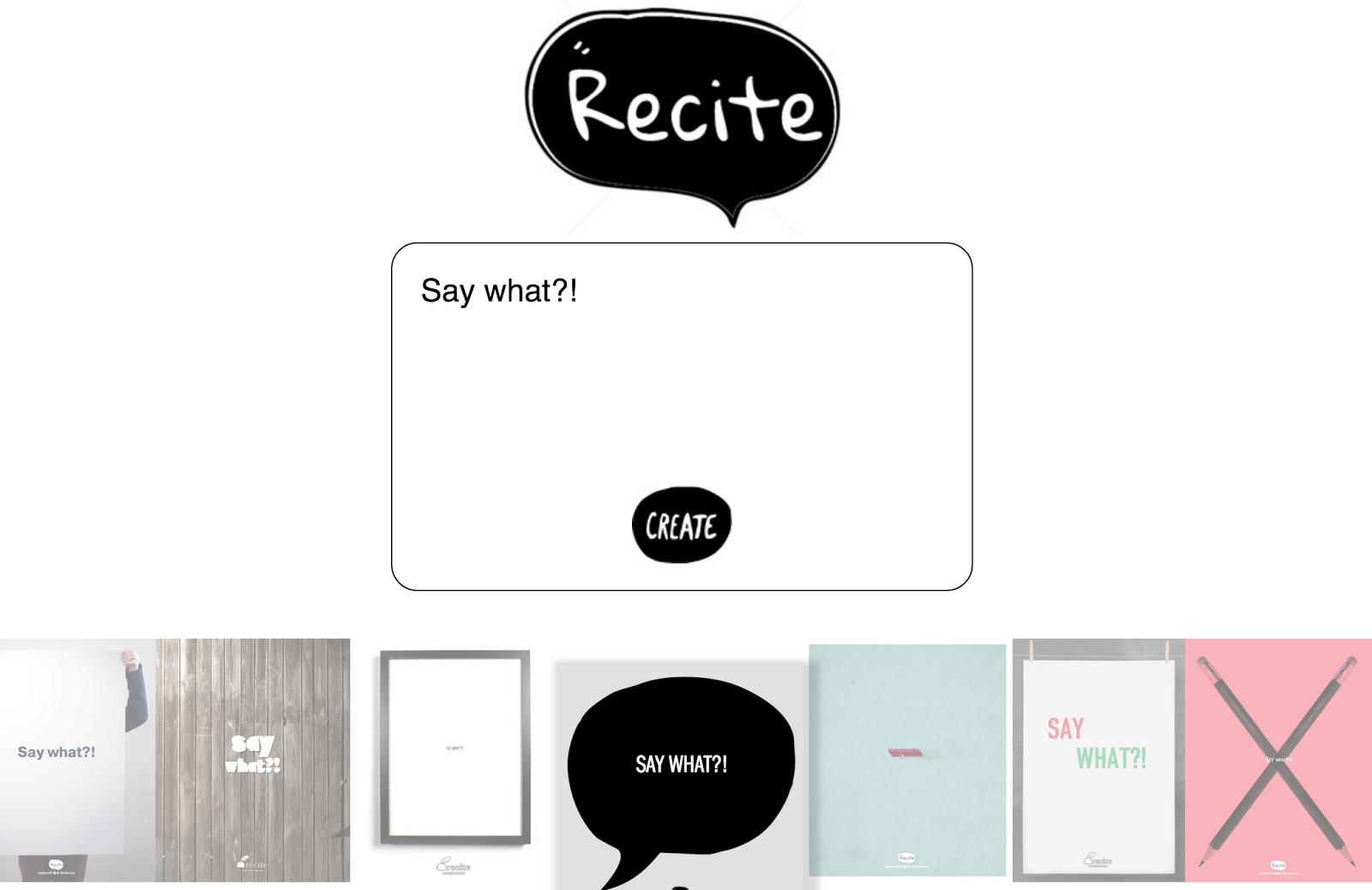
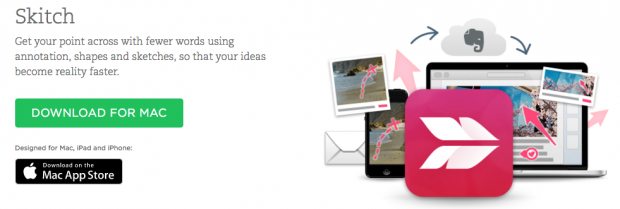 Image via